Calls
Incoming calls in the Host Panel: the call card with the guest's details, booking right from a call, call history and missed calls.
If the restaurant has telephony connected, the Host Panel shows who’s calling the moment a call comes in: the name, VIP, allergies, upcoming bookings. You can create a booking right from the call card — the name and phone are filled in for you.
Where calls come from
Calls come from the restaurant’s telephony. You can’t set it up in the Host Panel, and the panel doesn’t show whether it’s connected: without telephony, no call cards appear and the Calls tab says “No calls yet”. Support can help you connect telephony.
Incoming call card
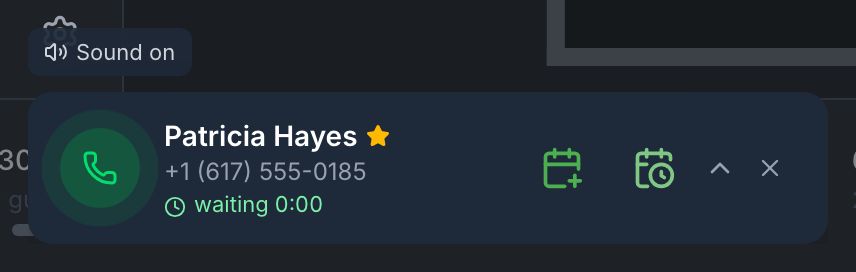
When a call comes in, a dark card appears at the bottom left — on any tab. Two short beeps play; the button above the card is Sound on / Sound off.
The collapsed card — the guest’s name (“Searching guest…” while the panel looks them up, or “Unknown guest”), the VIP star, the phone and “waiting …” — how long the call has been going: green first, then yellow, then red. The buttons are Reserve and Reservation Waitlist (if the waitlist is on).
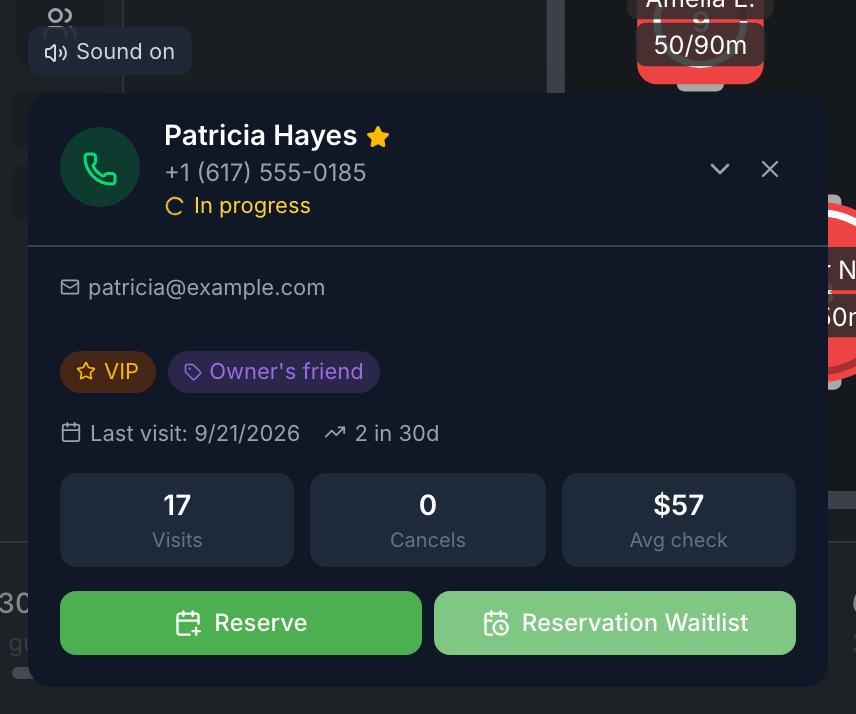
The expanded card — tap its header. It shows the note about the guest, email, Blacklisted, Vegetarian, tags, Allergies, Upcoming reservations (up to three — tap one to open it), the last visit, visits in the last 30 days, cancellations (including no-shows) and the average check. If the guest isn’t in the book — “Guest not found in database”.
If there are several calls, the cards stack up.
Taking, missing and booking a call
| What you did | What the history shows |
|---|---|
| expanded the card | Answered — “In progress” appears under the phone |
| created a booking or a request from the card | Handled — the call is closed |
| closed it with the cross without expanding | Missed |
| did nothing for 5 minutes | Missed — the card disappears. An expanded card also disappears after 5 minutes, but stays Answered |
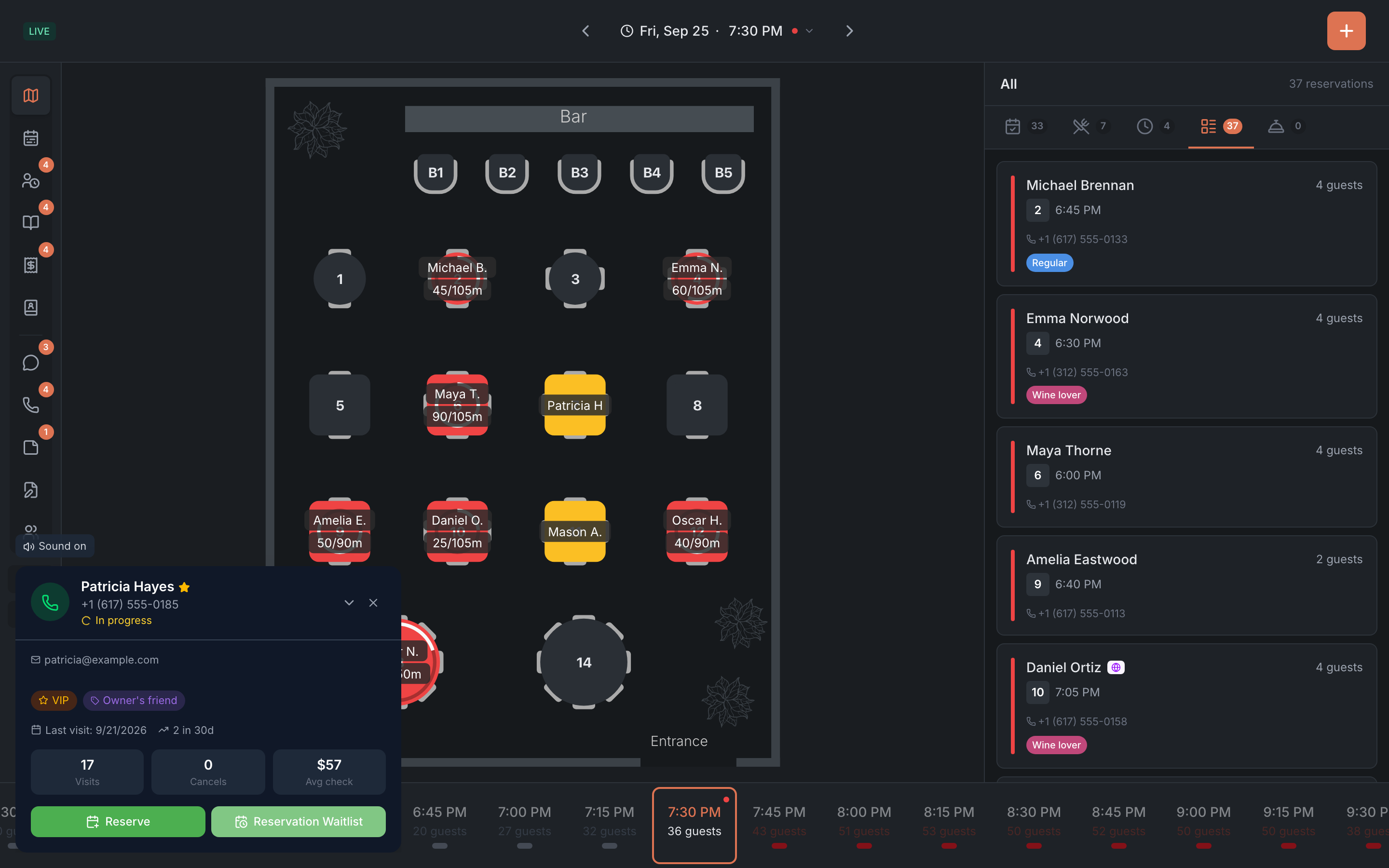
If a colleague took the call on another device, your card shows “Taken by …” with their name.
Call history
The Calls tab is the Call History. The number on the menu item is how many calls were missed, and a red banner at the top says ”… missed”.
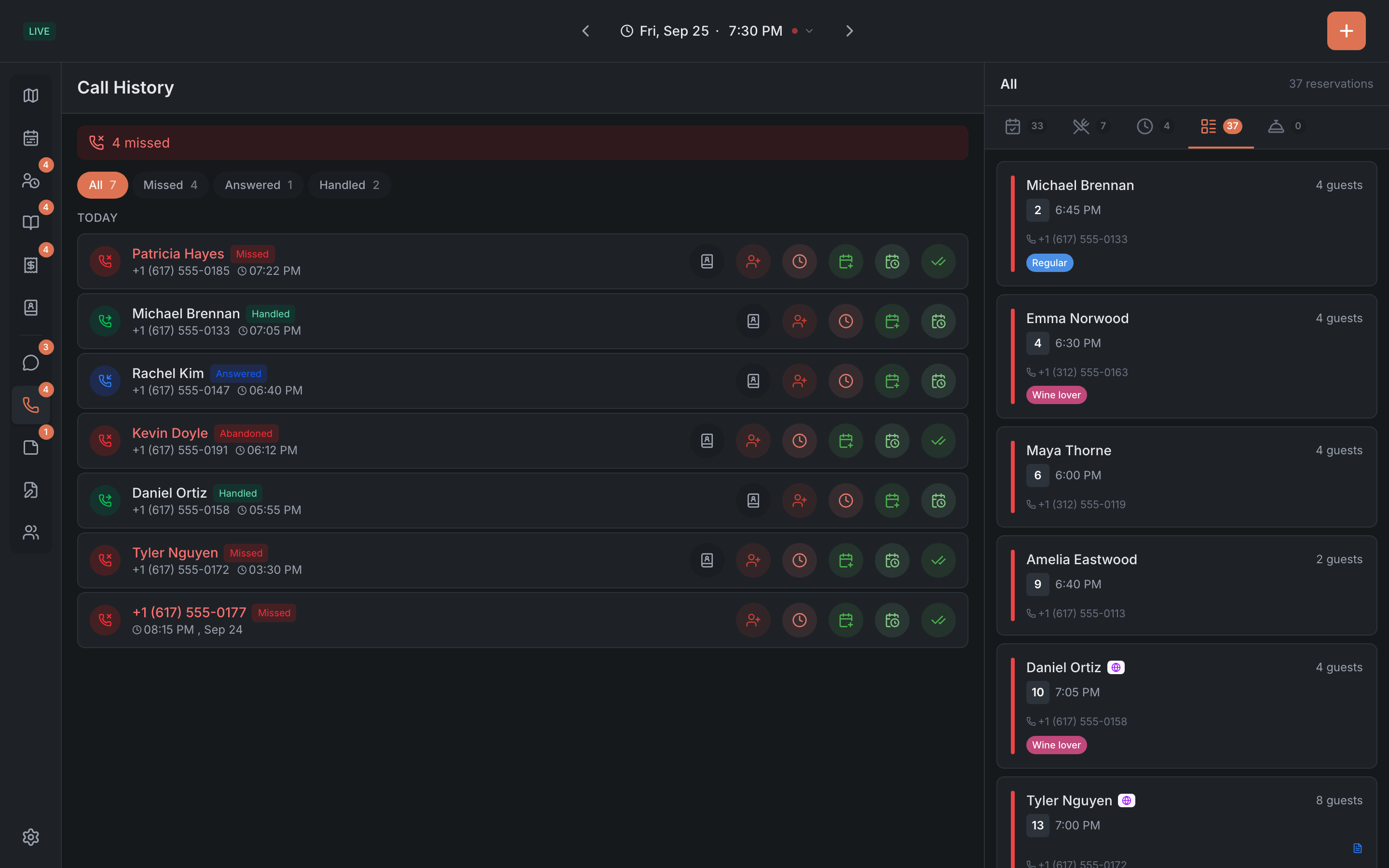
- Filters: All, Missed, Answered, Handled. The panel remembers your choice.
- Groups: Today — the last 24 hours, Yesterday and Older.
- Statuses: Missed, Abandoned, Hung up, Answered, Handled.
- Row buttons: Guest profile (if the guest is in the book), Walk-in, Waitlist, Reserve, Reservation Waitlist.
You can’t delete a call from the history.
Handling missed calls
- Open Calls → Missed.
- Call the guest back.
- If they book or come in, tap Reserve, Reservation Waitlist, Walk-in or Waitlist right in the row: once the entry is created, the call becomes Handled by itself.
- If there’s no booking, tap Mark as handled. The call leaves Missed, and the number on the tab goes down.