Statuses & Workflows
A walkthrough of the Statuses & Workflows tab — pre-seating statuses and custom table statuses that make up the shift workflow.
The Statuses & Workflows tab (Reservations section) configures the statuses a booking and a table pass through during a shift. They help the team see what stage each guest and table is at.
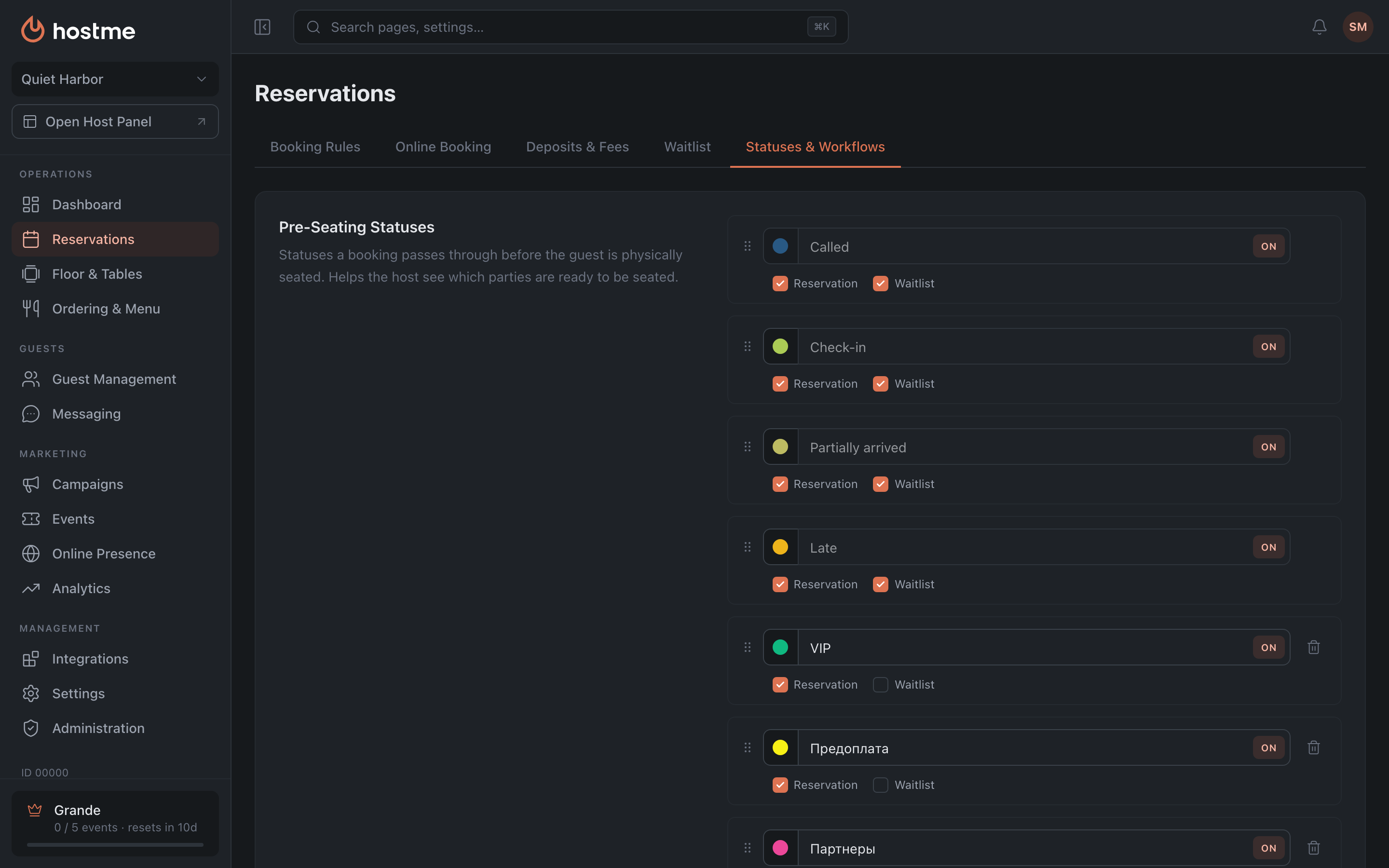
Pre-Seating Statuses Grande
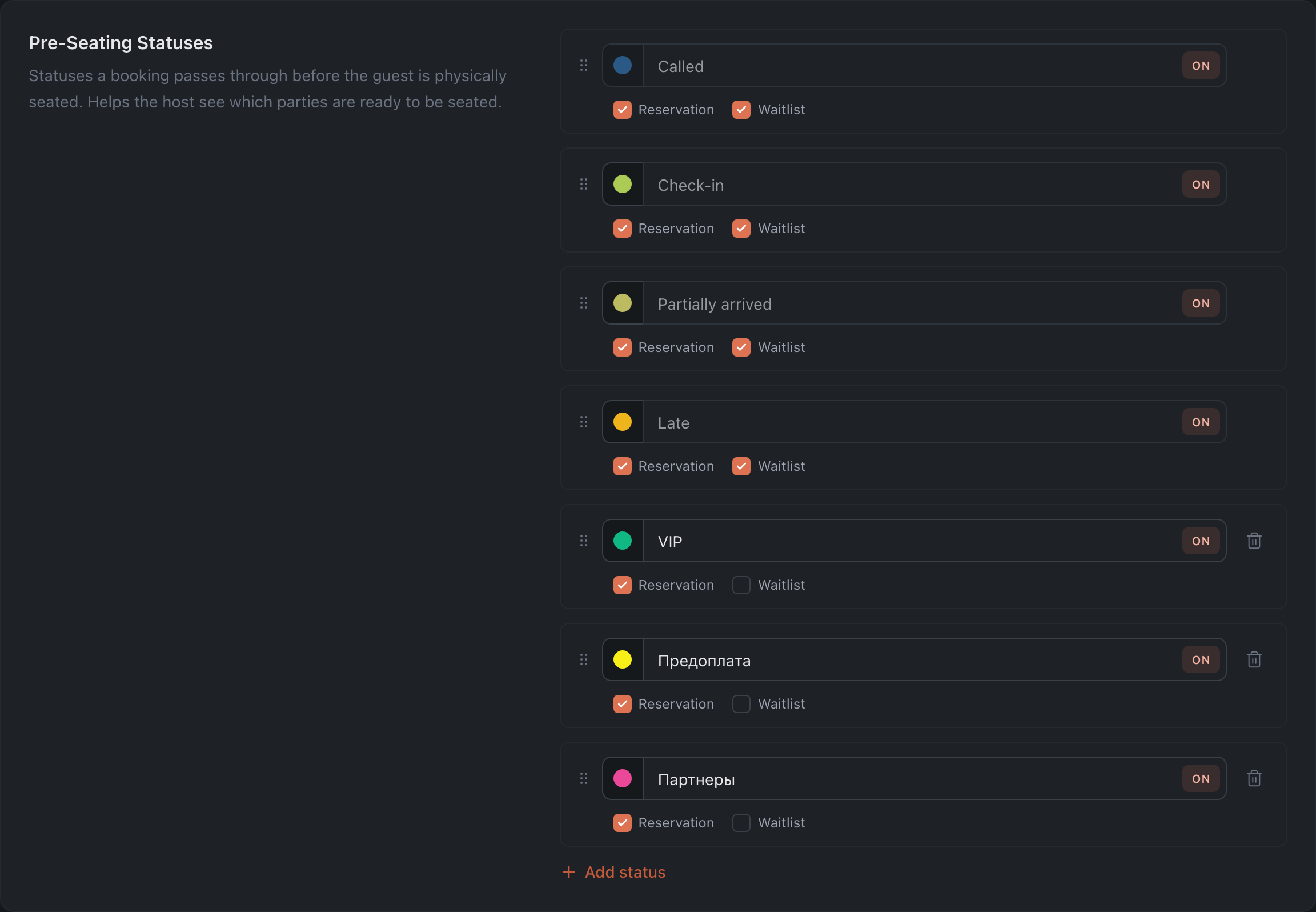
Statuses a guest passes through before being seated at a table. System ones: Called · Check-in · Partially arrived · Late and others.
For each status you can set:
- Color — the status label (the system “Called” status has a fixed color).
- Title — editable only for custom statuses.
- On / Off — whether the status is in use.
- Applicability — what the status applies to: Reservation and/or Waitlist (checkboxes).
- Order — by dragging.
Custom Table Statuses Grande
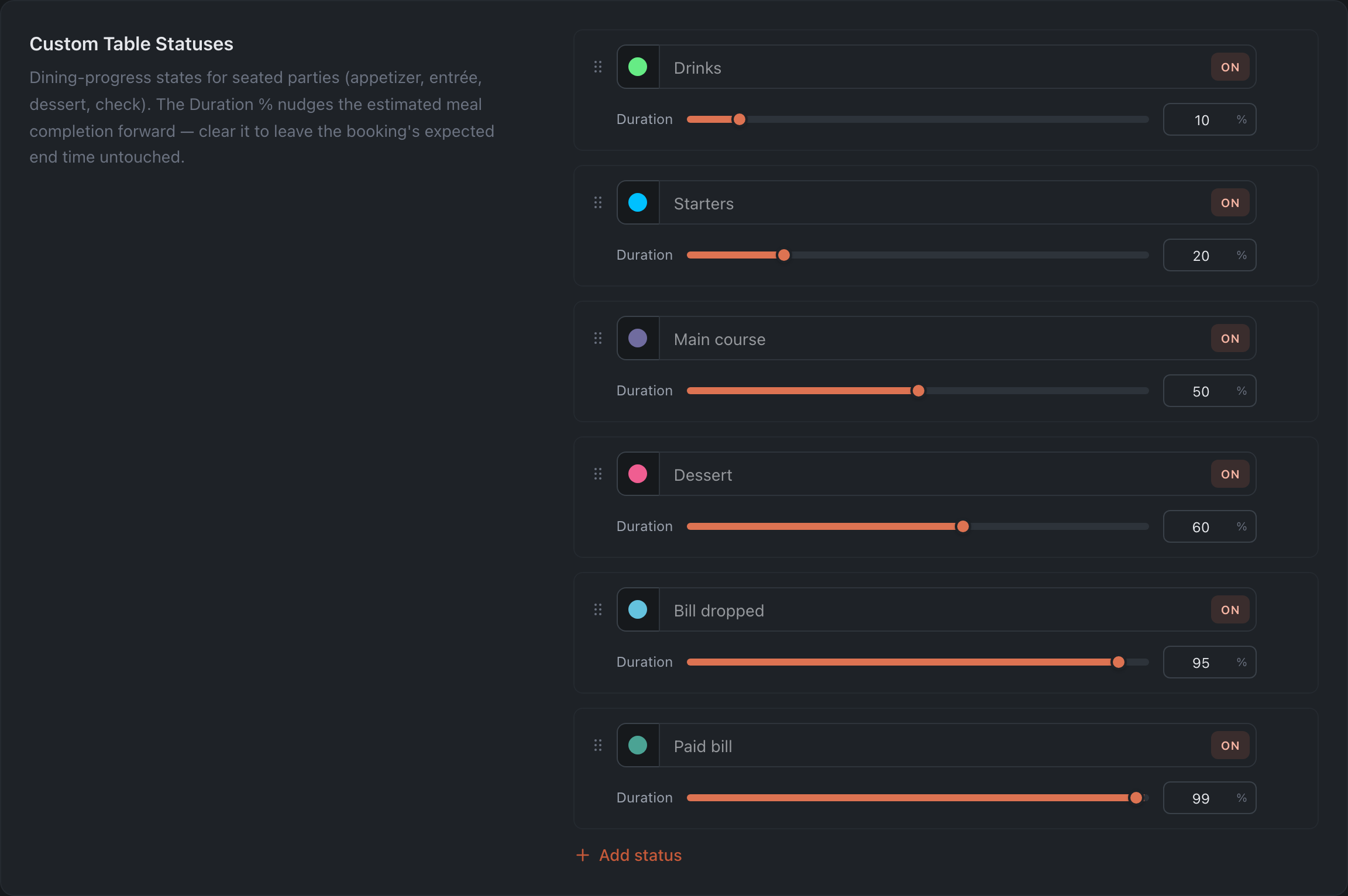
Statuses of an occupied table during service. System examples: Drinks · Starters · Main course · Dessert · Bill dropped · Paid bill.
For each:
- Color, Title (for custom ones), On / Off, order — as above.
- Duration — a 0–100 slider: how far this status moves the table’s service along. The value adjusts the expected visit duration — it is used to recalculate how much longer the party will stay at the table. Zero means the status doesn’t affect the time estimate. As a bonus, the percentage on the floor map shows which tables are close to finishing.
How changes are saved
Via the Save Changes button at the bottom (appears when there are edits).