Products & Categories
The dish catalog: product card, prices and taxes for delivery and pickup, availability as a stop list, categories.
The “Products” tab in the Ordering & Menu section is the shared dish catalog. There is one for all menus: a product is created here, and in the Menu Builder it is laid out across sections.
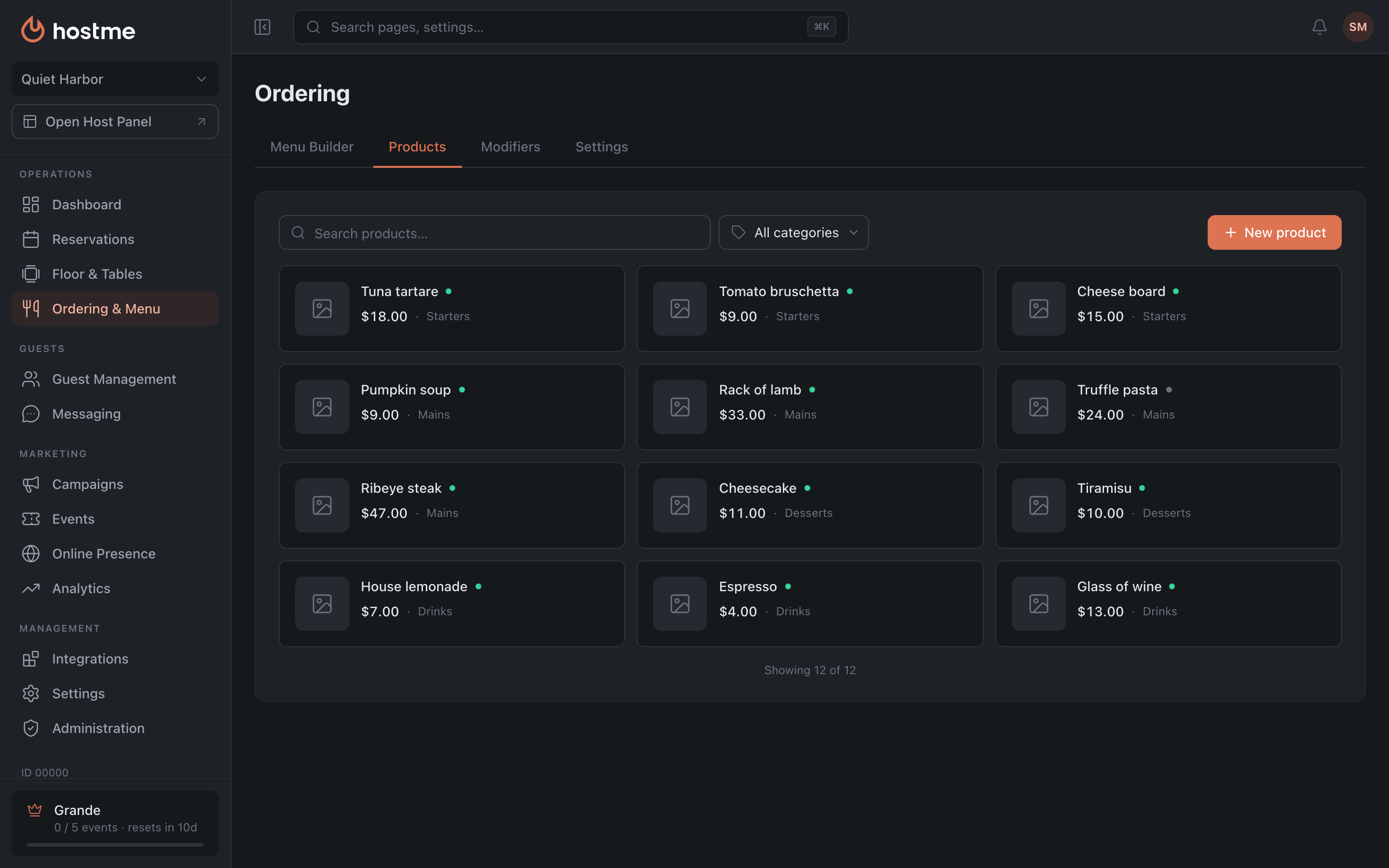
List
Search by name and a filter by category. The list loads in batches — at the bottom you see “Showing N of M” and a “Load more” button.
Product card
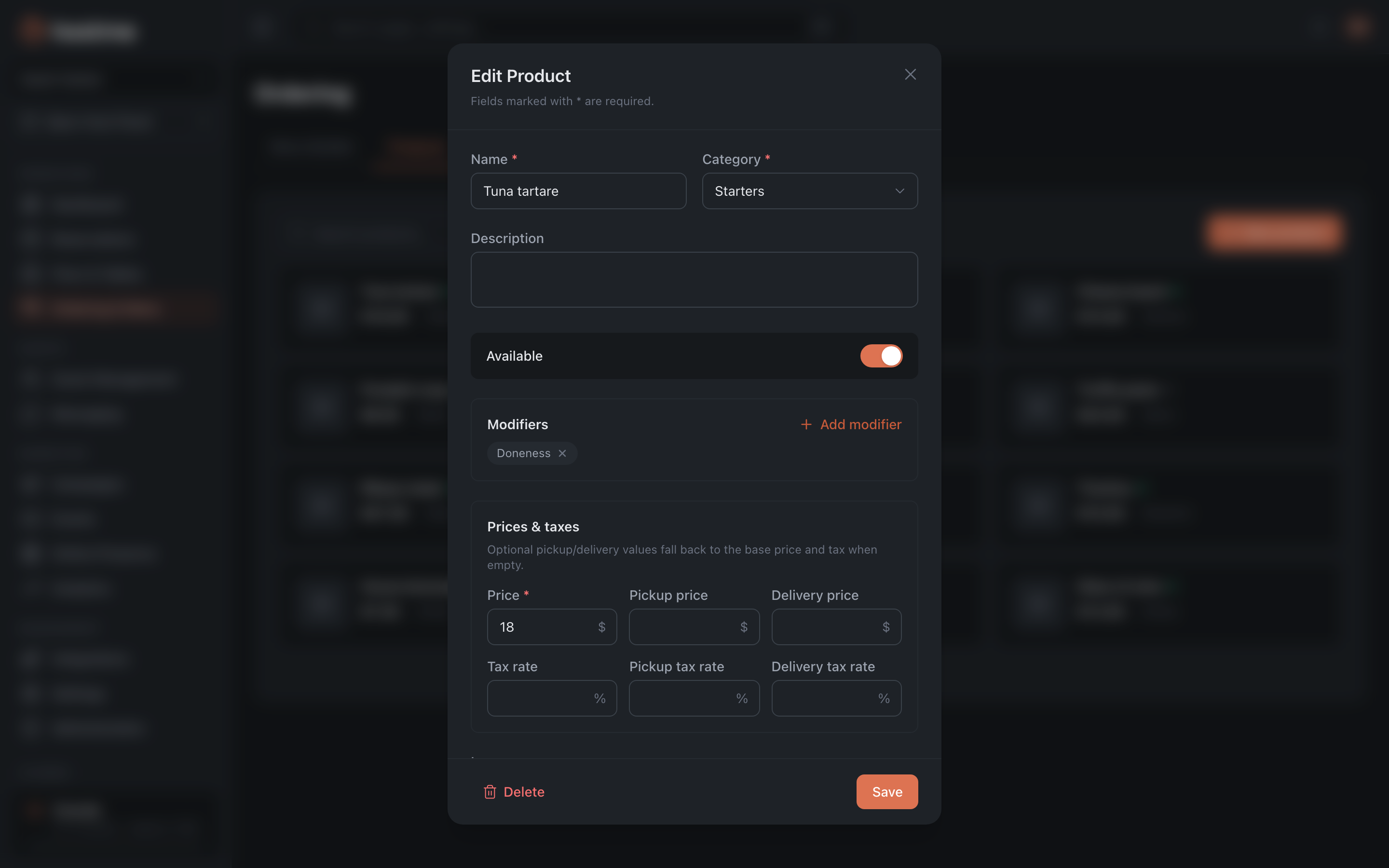
Name, description, category and image. A category can be created without leaving the card — the ”+ Create new category…” item in the list.
Prices & taxes
The price is set on three levels: base, “Pickup price” and “Delivery price”. Same with taxes — a base rate plus separate ones for pickup and delivery.
Availability
The “Available” / “Unavailable” switch is the stop list. An unavailable dish stays in the menu and in the panel, but it cannot be ordered.
The toggle is inside the product card and applies with the “Save” button. In the list, availability is shown as a dot indicator — you cannot switch it from there.
Product modifiers
The card shows which modifiers are linked to the dish. Some may come “via category” — they are applied to the whole category at once and cannot be unlinked in the product card. The panel sends you to the “Modifiers” tab to manage them, but there is no interface for category-level links there yet.
Categories
Categories are a way to group the catalog. Each one shows its number of products.
A category can be made active or inactive, renamed and deleted.
How changes are saved
Products, categories and modifiers are saved immediately — on create, update and delete. There is no separate “Save Changes” button at the bottom here, unlike in the Menu Builder and settings.
What’s next
- Menu Builder — how to assemble a menu from products.
- Modifiers — options and add-ons.
- Ordering settings — delivery, pickup, QR menu.
- How to launch delivery and a QR menu