Cover Pacing
Every guest-flow setting on one tab: slot size, soft limits, day exceptions, hard limits, channel quotas and seating optimization.
The Cover Pacing tab (Floor & Tables section) controls the flow of guests: how many people arrive at one time and how many are seated in the room at once. All pacing settings live here — some of them used to sit on the Online Booking tab.
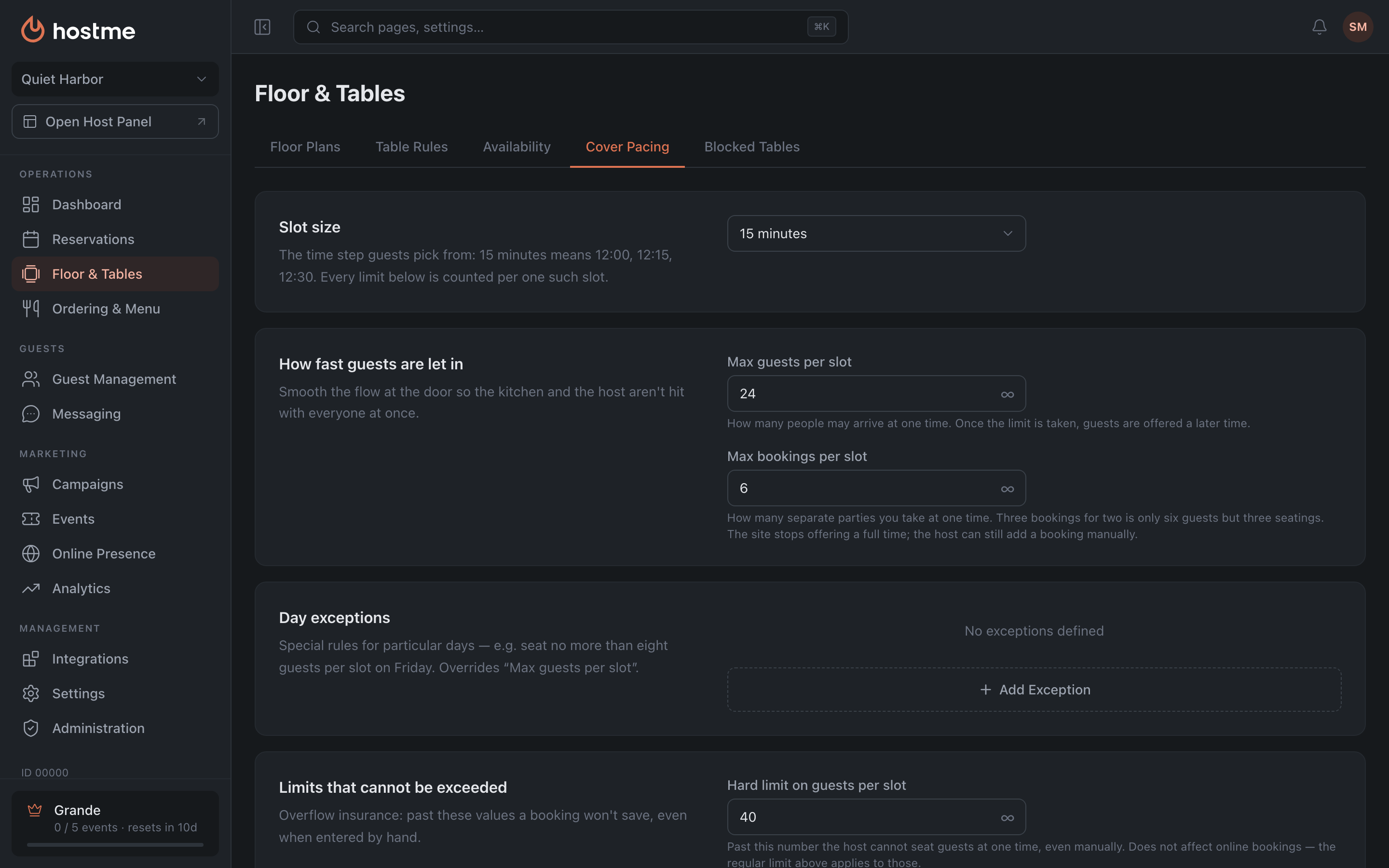
The key point: “per slot” ≠ “at the same time”
Two groups of settings sound alike but count different things:
- “Per slot” — how many people arrive at one time.
- “At the same time” — how many people are seated in the room at that moment, including those who arrived earlier and haven’t left yet.
Slot size

Slot size is the time step guests pick from: 15 minutes means 12:00, 12:15, 12:30. The “per slot” limits below are counted per one such slot. Channel quotas (“at the same time”) work differently — they count who is seated at a given moment.
The slot size goes from 5 minutes to 2 hours.
How fast guests are let in
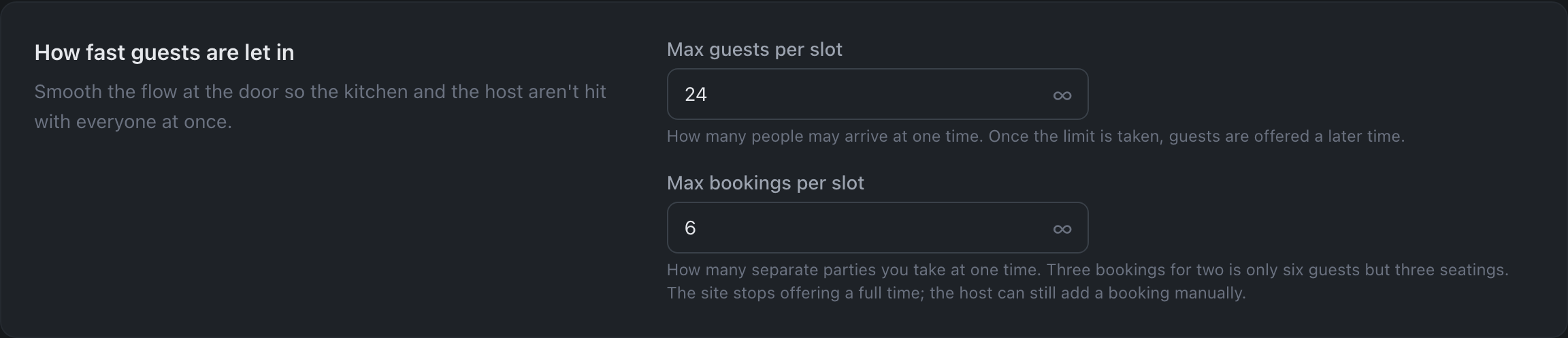
Soft limits — they smooth the flow at the door so the kitchen and the host aren’t hit with everyone at once.
- Max guests per slot — how many people may arrive at one time. Once the limit is taken, guests are offered a later time.
- Max bookings per slot — how many separate parties we accept for one time. Not the same as guests: three bookings of two are only six people, but three times to greet, seat and take an order.
Day exceptions
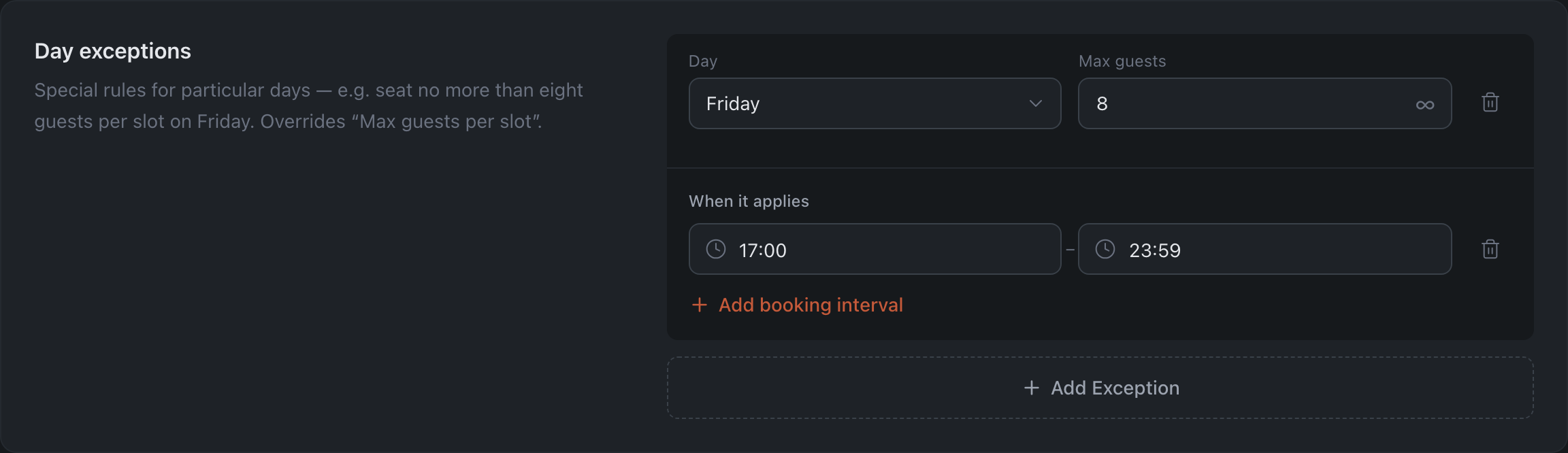
Special rules for particular days — e.g. seat no more than eight guests per slot on Friday. They override Max guests per slot. In an exception row:
- Day — day of the week. One exception per day: days already taken by other rows aren’t offered in the list, and once all seven are taken, the add button is replaced by the note “Every weekday already has an exception”.
- Max guests — the per-slot limit on that day (can be Unlimited). A new exception starts unlimited — type in the number you need.
- When it applies — All day by default. Click Add time slot to make the rule work only during certain hours (e.g. Friday 19:00–22:00). Remove all the slots and the rule is back to all day.
Limits that cannot be exceeded
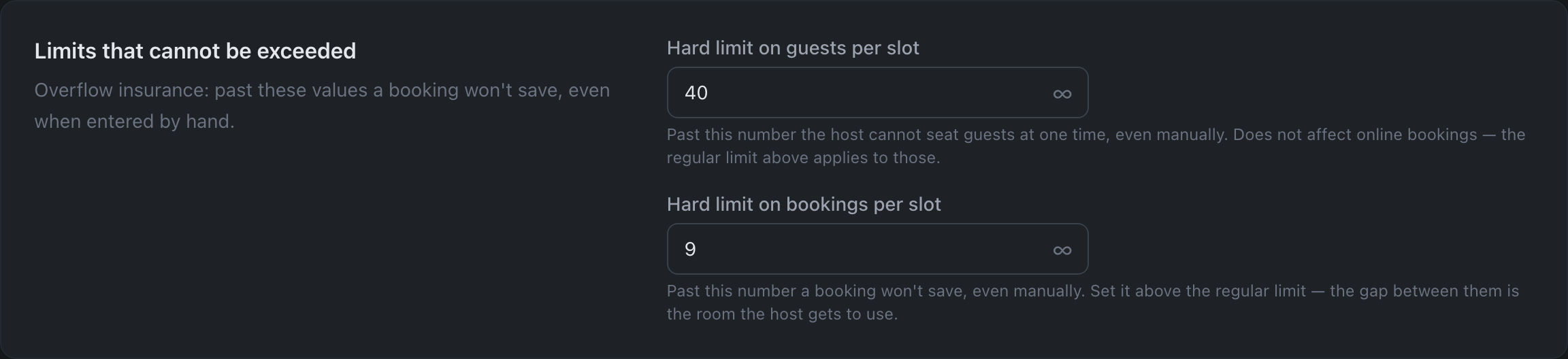
Overflow insurance: past these values a booking won’t save, even when entered by hand.
- Hard limit on guests per slot — past this number the host cannot seat guests at one time, even manually. Does not affect online bookings — the regular limit above applies to those.
- Hard limit on bookings per slot — past this number a booking won’t save, even manually.
If the hard limit ends up below the soft one, the panel warns: the host is left with no room.
How much of the room each channel gets
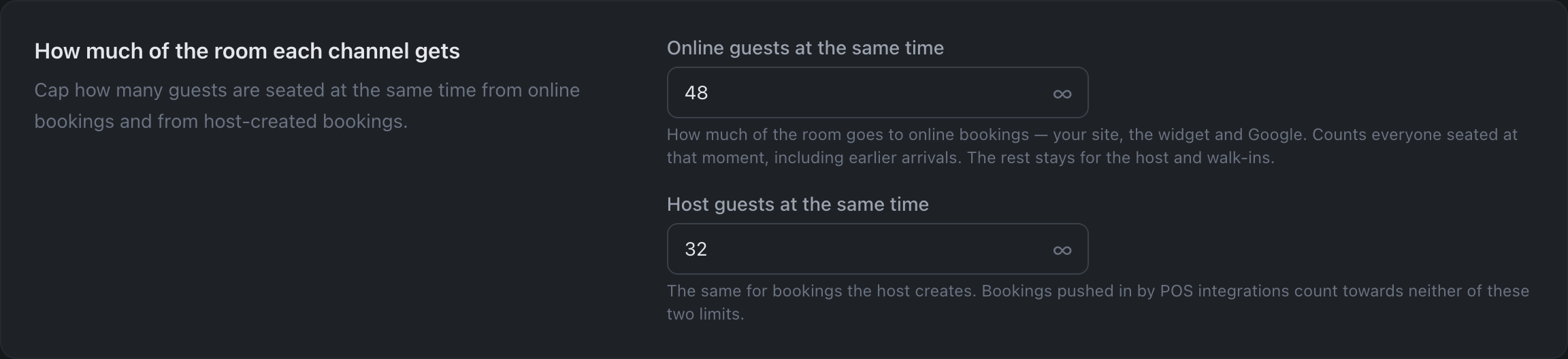
Concurrent occupancy — how many guests are seated in the room at one moment, per channel.
- Online guests at the same time — the share of the room given to online bookings: the restaurant website, the widget and Google. Everyone seated at that moment counts, including those who arrived earlier. The remaining seats stay for the host and walk-ins.
- Host guests at the same time — the same for bookings the host creates.
Seating Optimization

- Optimize seating for host — the system suggests optimal tables for host-created reservations.
- Optimize seating for guest — the system picks optimal tables for online reservations.
Empty field = unlimited
An empty field means Unlimited — there is an ∞ button next to it to drop the limit in one click. A limit of 0 can’t be set: both an empty field and zero mean “unlimited”.
Events
Events have the same tab with their own values. Event limits count the load of the event itself, not the whole restaurant. See Events.
How changes are saved
Via the Save Changes button at the bottom.