Ordering Settings
Delivery, takeaway, preorder, QR menu, tips, taxes and order statuses.
The Settings tab in the Ordering & Menu section enables and configures the ordering methods themselves. Each block is independent: you can launch takeaway only, the QR menu only, or everything at once.
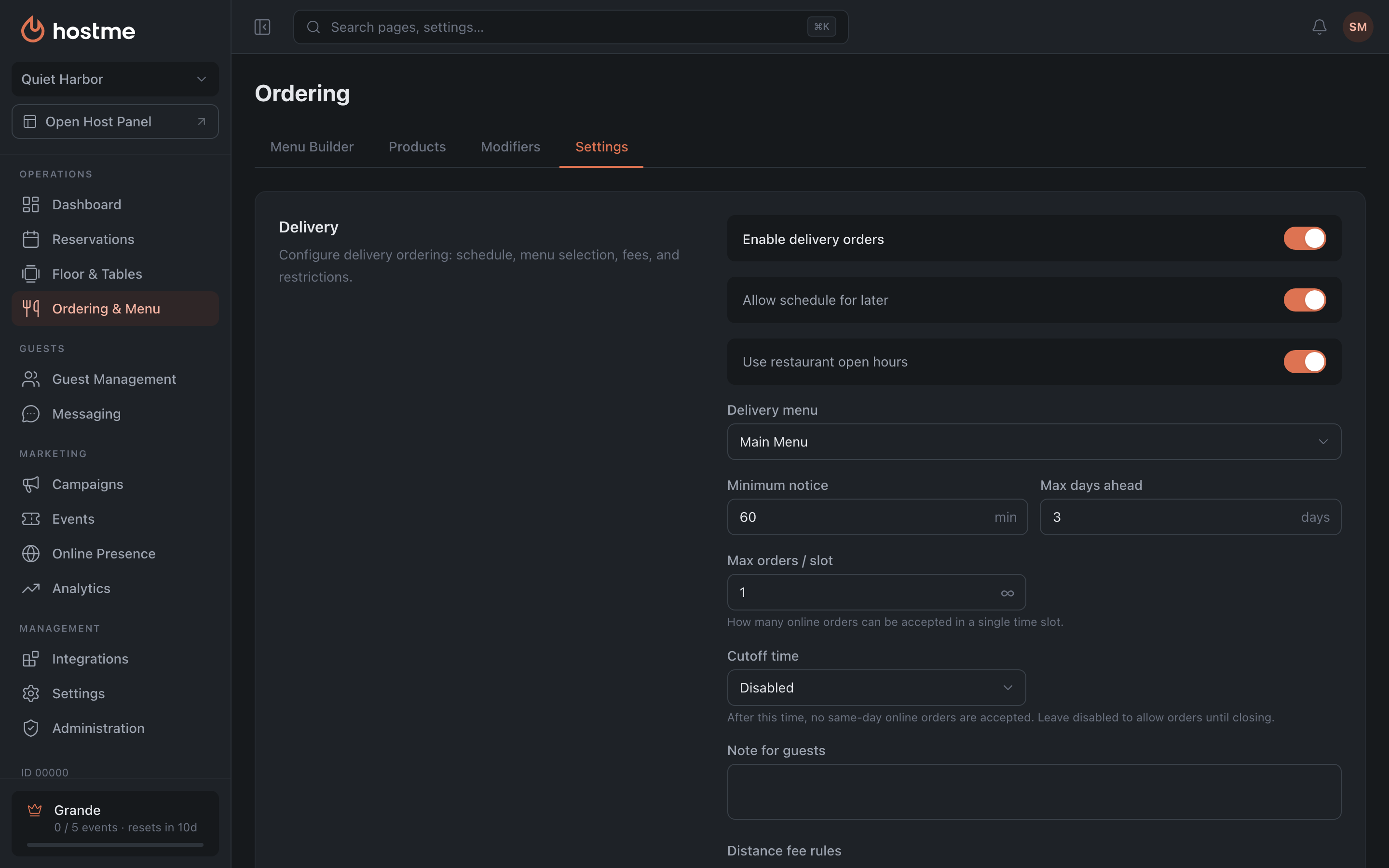
Delivery
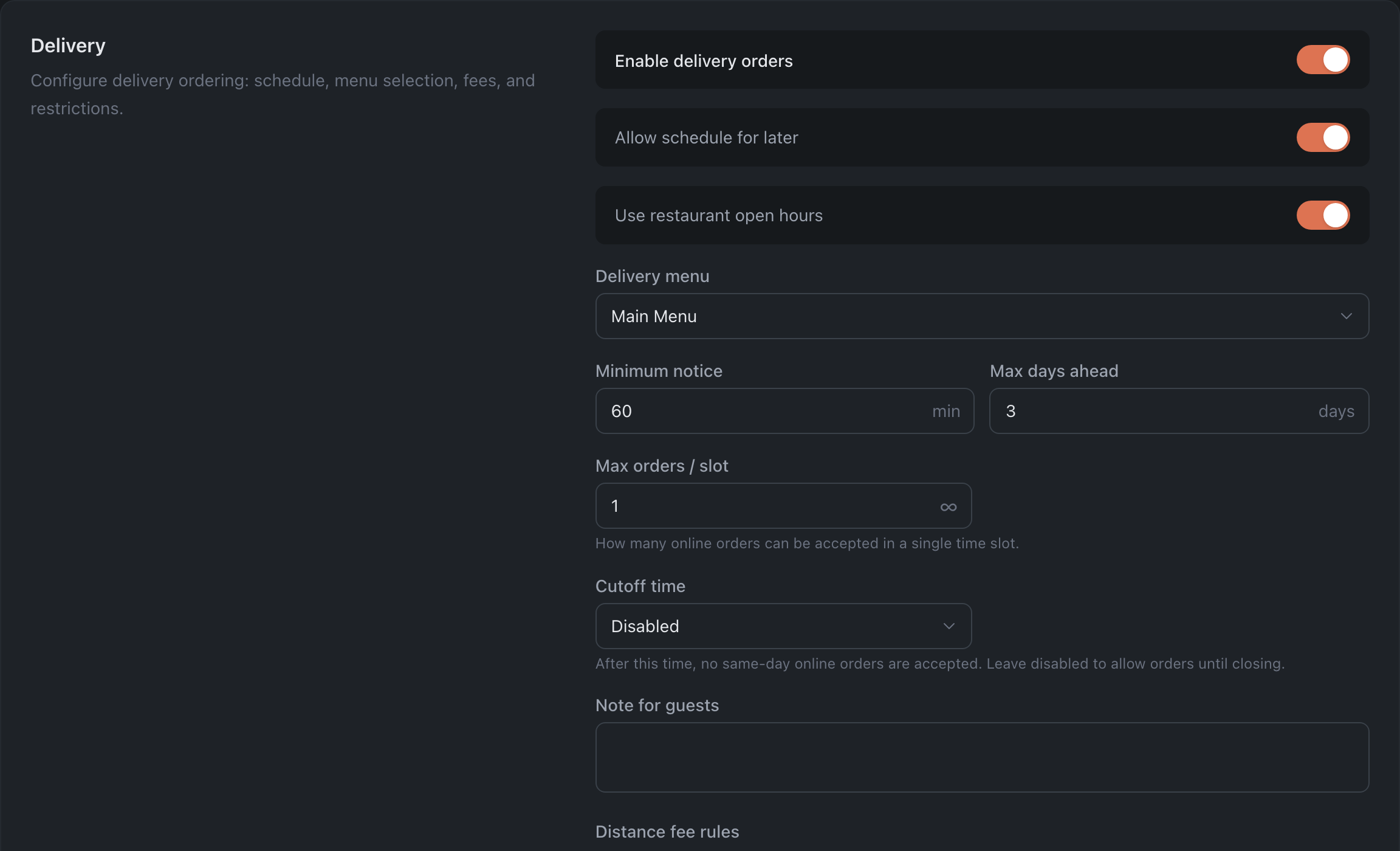
The largest block. It’s enabled with the “Enable delivery orders” toggle; the remaining fields appear after that.
Schedule and restrictions:
| Field | What it sets |
|---|---|
| Allow schedule for later | whether an order can be placed for a later time rather than the earliest available |
| Use restaurant open hours | take the schedule from the restaurant settings |
| Delivery menu | which of the menus to show |
| Minimum notice | how many minutes before the order is due it can still be placed |
| Max days ahead | how far in advance an order can be placed |
| Max orders / slot | how many online orders to accept in a single time slot |
| Cutoff time | after this time, orders for today are no longer accepted |
| Note for guests | text shown on the checkout page |
Fees and discounts — two rule tables:
- Distance fee rules: distance → fee and minimum order amount.
- Discount rules: order amount → discount.
Takeaway
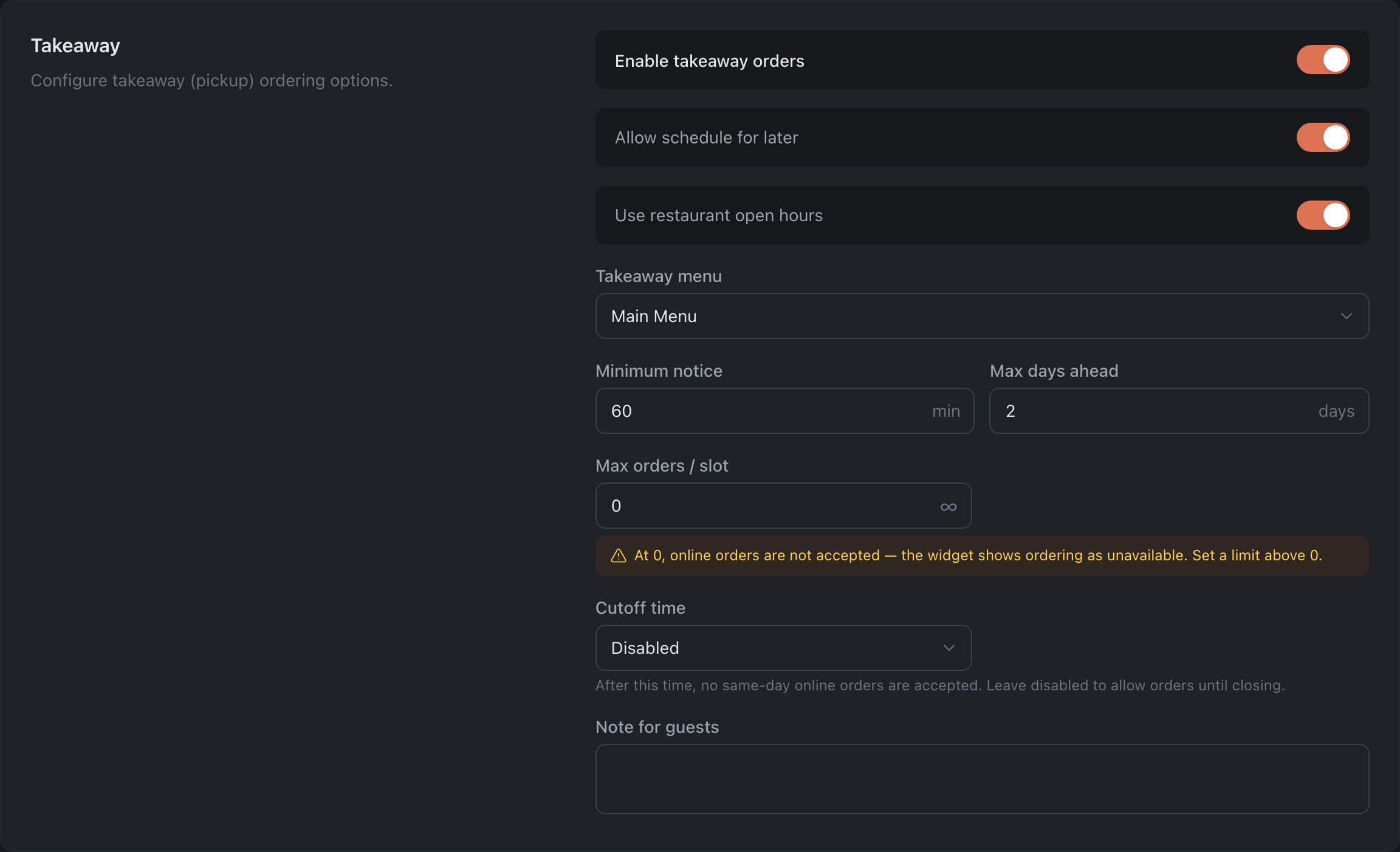
The same set of fields as delivery, but without distance fees and discount rules: its own menu, its own schedule, its own limits. Delivery and takeaway are configured independently — you can enable just one of them.
Preorder Grande
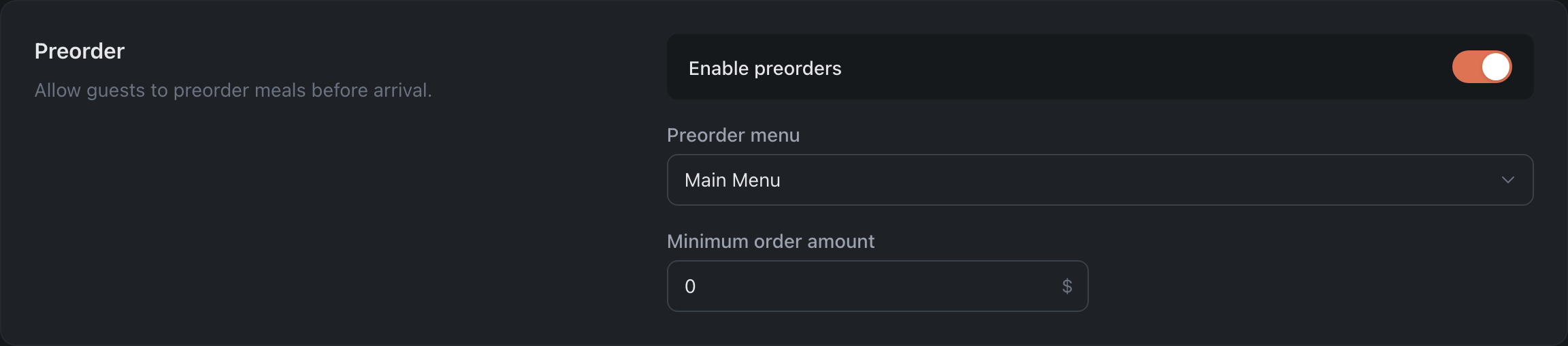
Lets the guest pick dishes before arriving. You set the preorder menu and the minimum order amount.
Digital Menu

A menu available to the guest via QR code or link — no ordering, just browsing. You choose which menu to show.
Tips

A toggle and tip options — the set of percentages the guest picks from at checkout.
Taxes

The “Include VAT in prices” switch: prices are shown to the guest with tax included, or the tax is added at checkout.
Special Request Options

Extra preferences the guest can tick on an order: Contactless Delivery, Do not Disturb, Need card reader. Each is enabled separately.
Ordering Statuses Grande
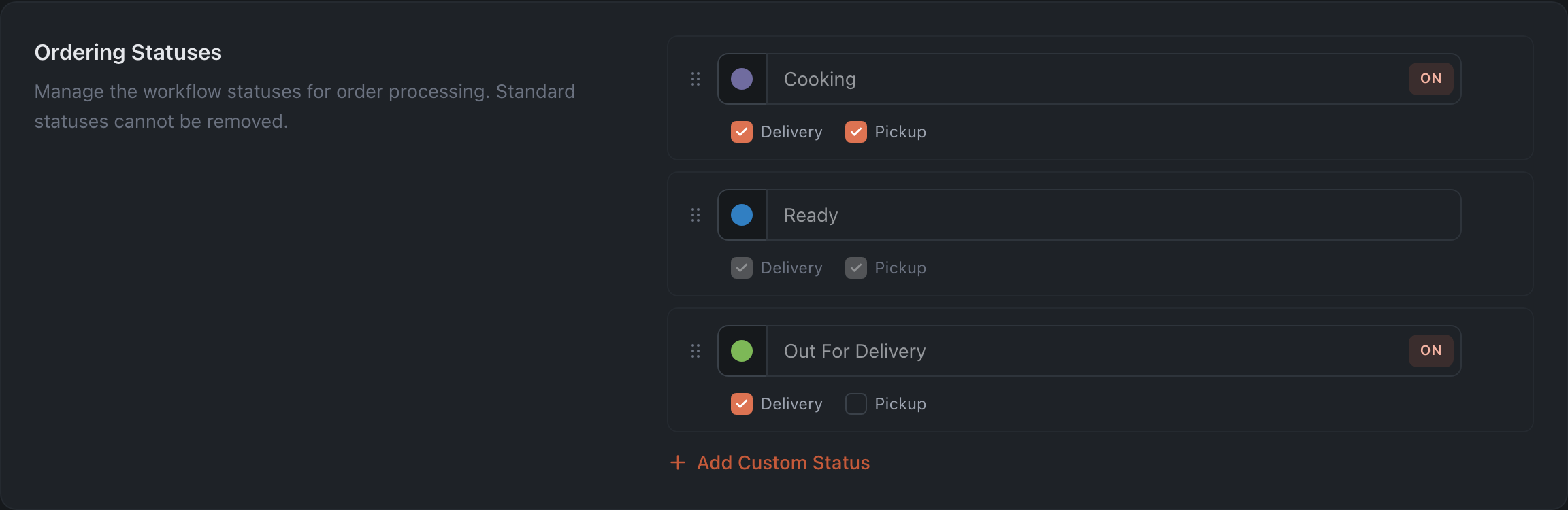
The stages an order goes through. Three are system statuses — “Cooking”, “Ready”, “Out For Delivery”; they can’t be deleted, and the names of system statuses can’t be edited.
For each status you configure the color, order, active state and applicability — separately for delivery and for pickup.
One exception: “Ready” always applies to both delivery and pickup, and can’t be switched off — it’s the point every order passes through.
How changes are saved
With the “Save Changes” button at the bottom — it appears as soon as you change something.
When you leave the page or reload it, the panel warns about unsaved edits. Switching between tabs inside Ordering & Menu, however, happens silently: the edits aren’t lost, but they aren’t saved either — the dot on the tab reminds you about them.
What’s next
- Menu Builder — which menus can be selected in these settings.
- Guide: launch delivery and the QR menu — step by step.
- Plans — what requires Grande.