Communication Channels
SMS, WhatsApp, Email and Telegram: providers, senders, connecting your own bot and domain verification.
A communication channel is the way messages reach the guest: SMS, WhatsApp, Email, Telegram. The channel determines both what the sender looks like and what sending costs.
SMS
The key difference between SMS and the other channels is that there can be several providers, and they line up in a queue.
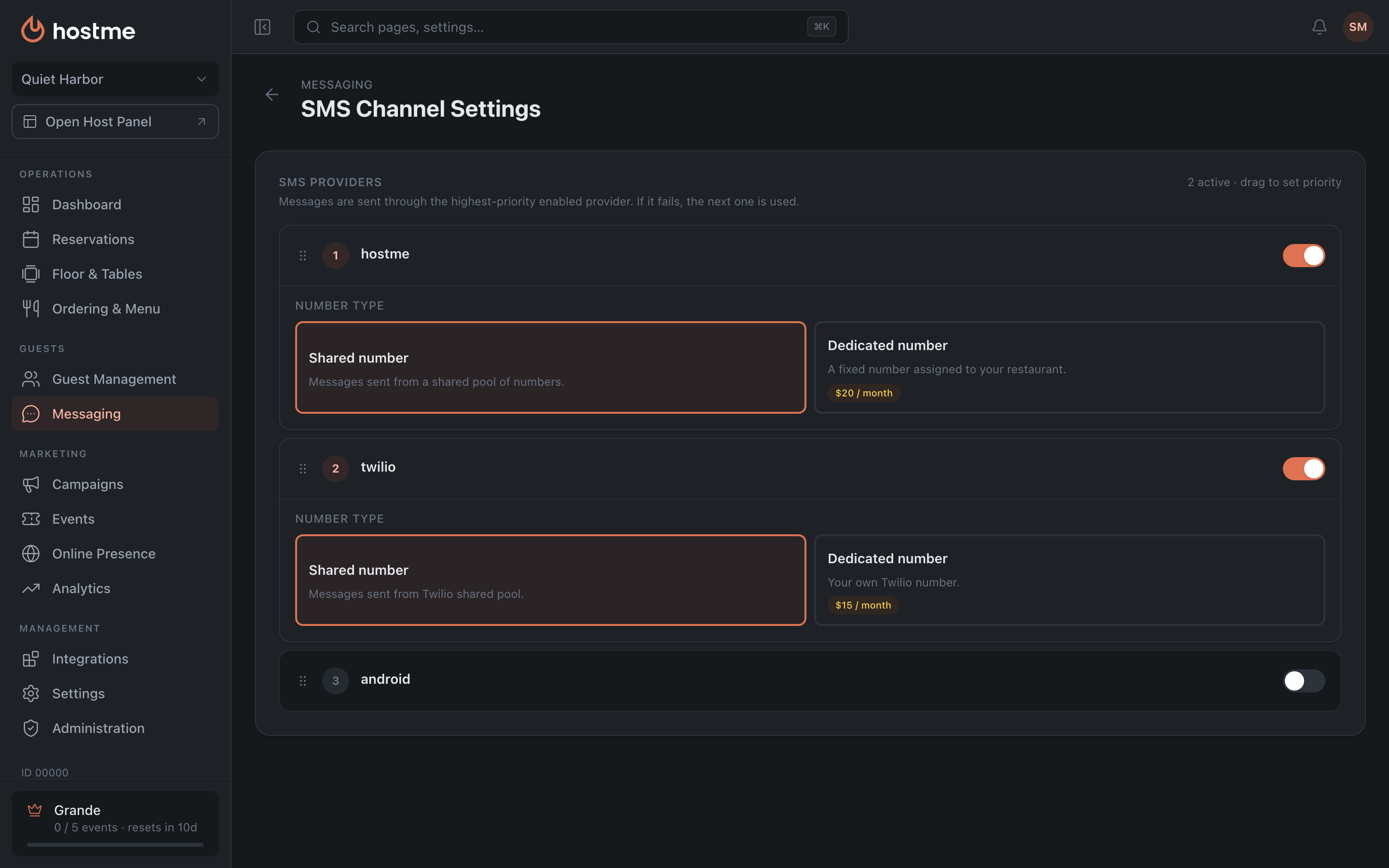
- Priority. A message goes out through the highest-priority provider; if it fails, the next one picks it up. The order is set by dragging the cards. This is insurance: one provider goes down, and the campaign does not stall.
- If no provider is enabled, the panel warns: “No SMS provider enabled”.
- Most providers are switched on with a toggle, no keys needed. An API Key is requested only where the provider itself requires it, and is checked with the “Verify” button — the panel replies “API key verified” or “Invalid API key”.
Number Type is chosen on the enabled provider and determines what the guest sees as the sender:
- Shared number — messages go out from a shared pool of numbers.
- Dedicated number — a number assigned to you; the price depends on the provider.
The dedicated-number option has two actions: “Buy a dedicated number” and “Alphanumeric Sender ID” — a brand name instead of a number.
A separate option is the Android gateway: the Hostme SMS Gateway app on a phone; the only number type there is your own, and messages go out through your mobile plan.
Two providers with fundamentally different models:
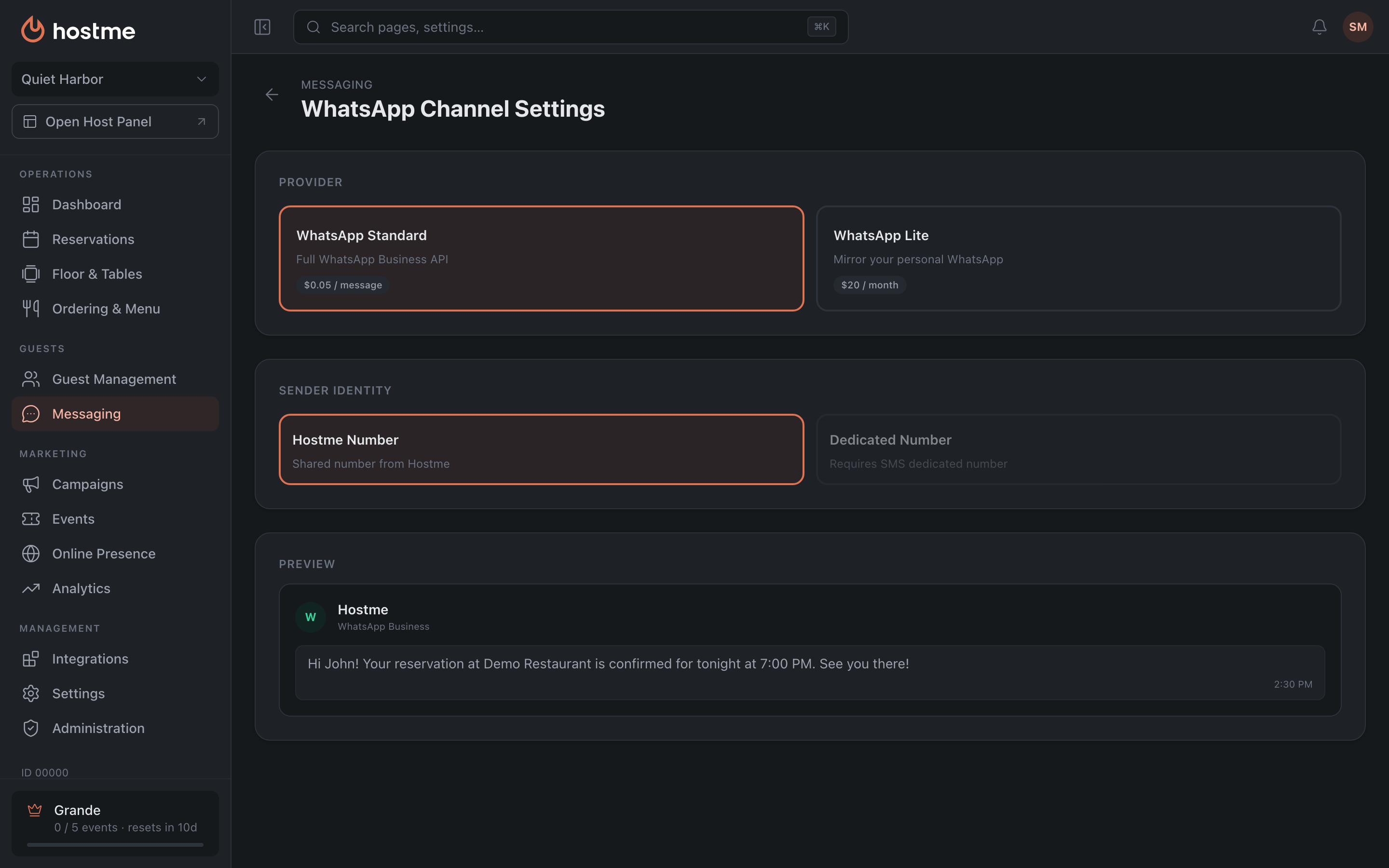
| WhatsApp Standard | WhatsApp Lite | |
|---|---|---|
| What it is | the full WhatsApp Business API | a mirror of your personal WhatsApp |
Lite is connected by scanning a QR code: on your phone, WhatsApp → Linked Devices → Link a Device → scan the code on the screen. The link status is shown right there — linked, pending, failed or not linked.
The simplest channel: you set the “Sender Name” (what the guest sees in the “From” field) and the “Sender Email”.
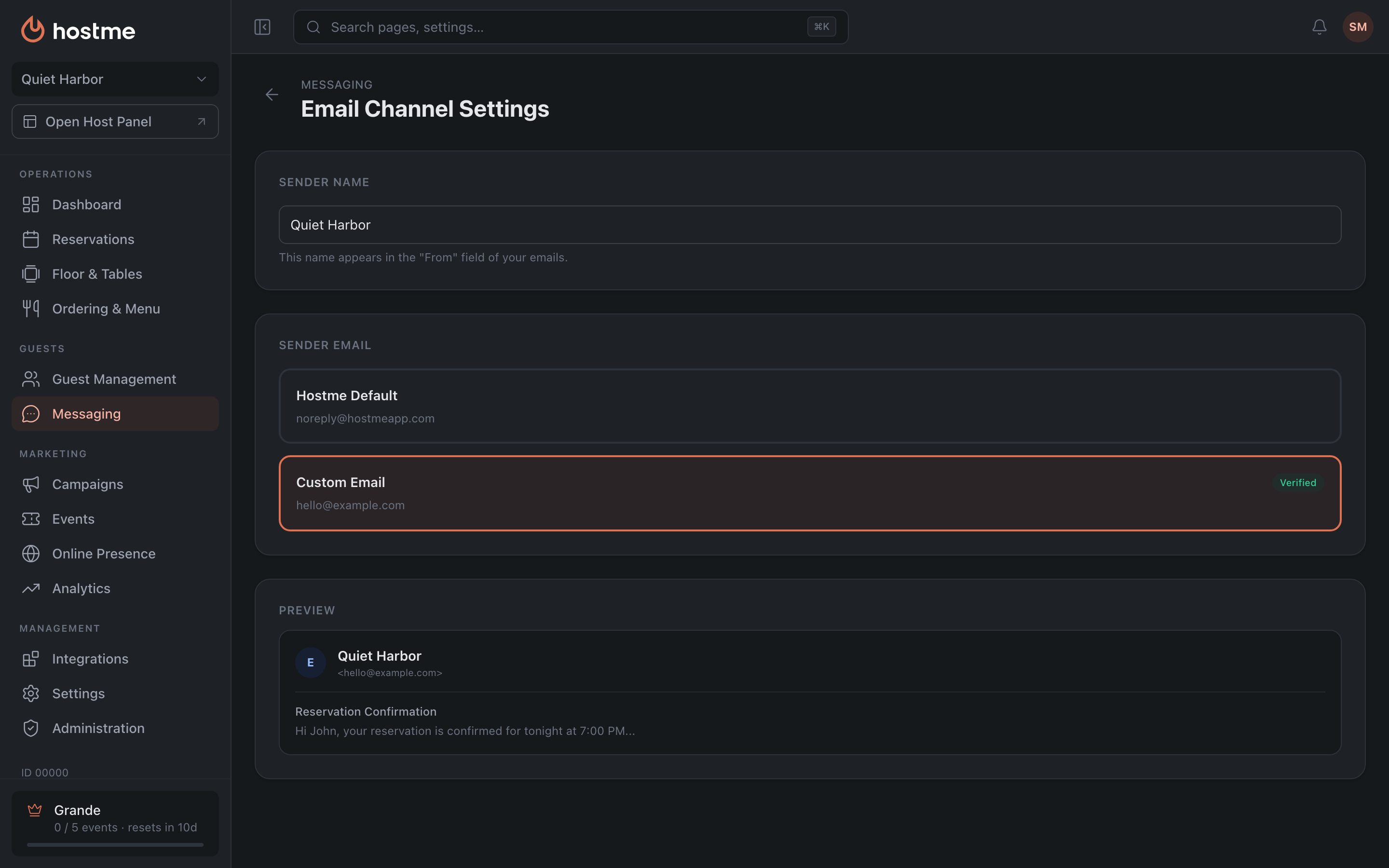
The address is either “Hostme Default” or “Custom Email”. A custom address needs verification — until that is done the status stays at “Pending verification”.
Telegram
Two modes:
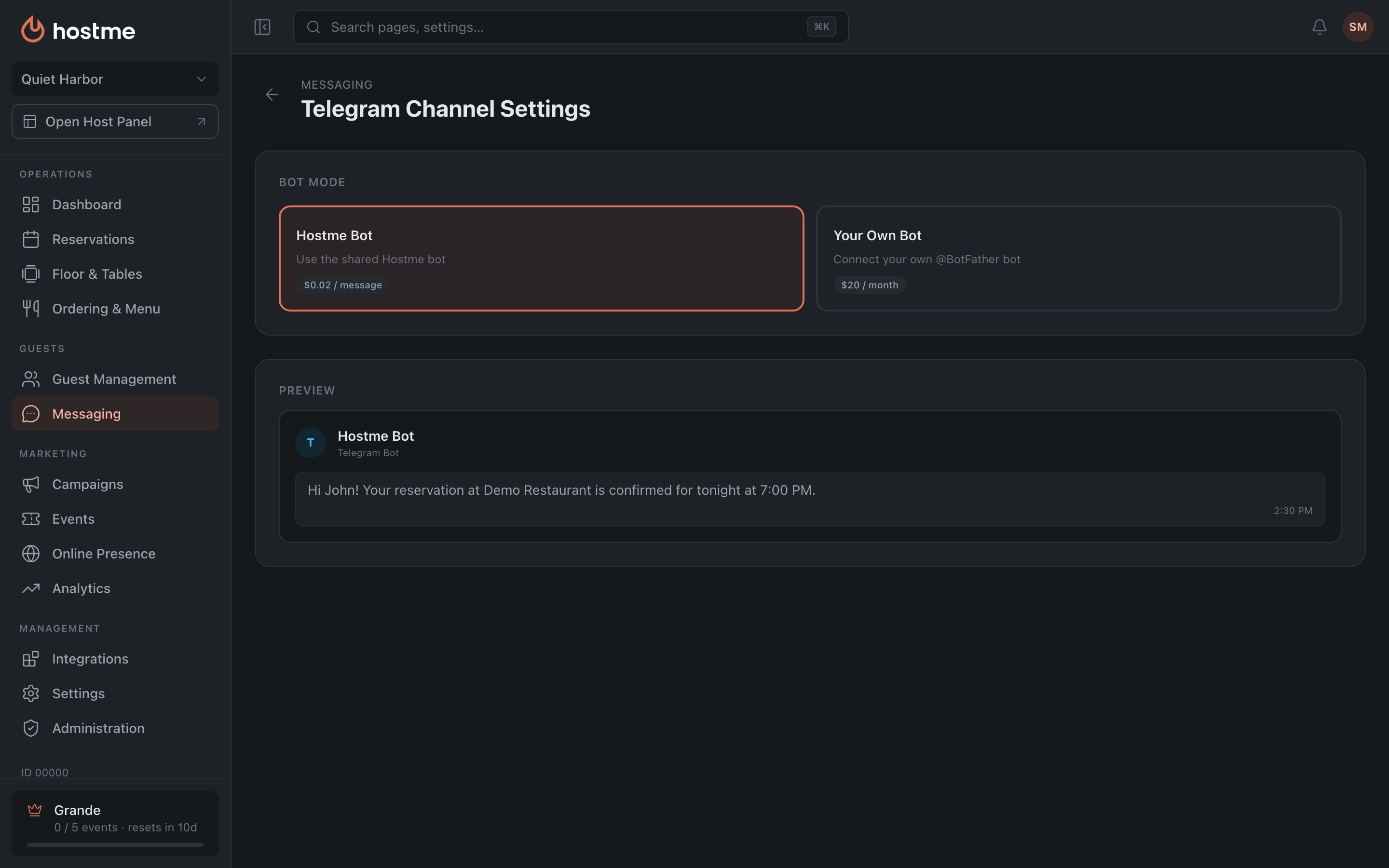
| Hostme Bot | Your Own Bot | |
|---|---|---|
| What it is | the shared service bot | your bot via @BotFather |
Your own bot is connected with a token. The panel explains right on the page where to get it: open Telegram, find @BotFather, send /newbot, follow the instructions and copy the API token. The token is checked with a separate “Verify” button — saving does not check it, so this step must not be skipped.
If the bot is already in use somewhere else, the panel notices this and offers to choose a Forwarding Mode:
- Mirror — messages go to both services;
- Exclusive — the bot works only with Hostme.
Region-specific channels
Some channels are only offered in certain countries — the panel serves the integration catalogue based on the restaurant’s country, so you only ever see what you can actually connect. If a channel another restaurant mentions isn’t in your list, that’s why.
What’s next
- Guide: connect a communication channel — step by step.
- Messaging — templates, branding and sending policies.
- Integrations — where providers are connected today.
- Tokens and campaign costs — what sending costs.