Tokens and campaign costs
What makes up the price of a campaign, why SMS is charged more, what 'on hold' means and how to top up the balance.
Campaigns are paid for with tokens. The balance is shown in the Campaigns section — the counter in the top right corner; clicking it opens the “Balance” window.
What makes up the price
There is one formula:
channel price × number of recipients × number of SMS segmentsThe result is rounded to whole tokens.
The segment multiplier applies only to SMS. For email and WhatsApp it is always one, and the price is simply the rate multiplied by the recipients.
Why SMS is charged more than expected
This is the most common question, and the answer lies in how SMS itself works: a long message is physically sent as several, and the carrier charges for each one.
The limits depend on the alphabet:
| Alphabet | One message | Beyond that |
|---|---|---|
| Latin | up to 160 characters | every 153 characters — one more segment |
| Non-Latin (Unicode) | up to 70 characters | every 67 characters — one more segment |
A non-Latin alphabet is “more expensive” not by rate but by encoding: the message is transmitted in Unicode, and less than half as many characters fit into one — 70 versus 160. A single accented letter or an emoji is enough to switch the whole message to Unicode, so a 200-character text becomes three segments, that is, triple the price.
On hold and available
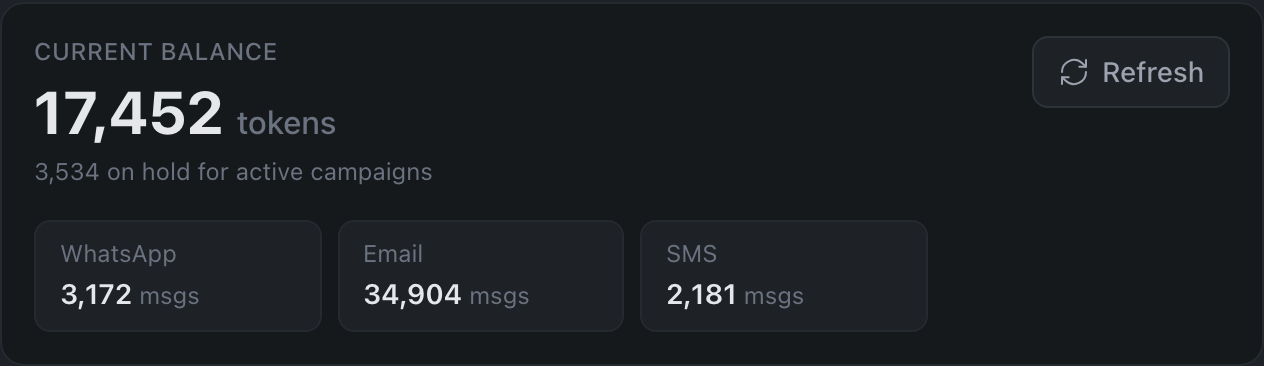
Tokens come in two states. On hold — reserved for campaigns that are already running: nothing has been charged yet, but they cannot be spent on another campaign either. Available — what you can actually use right now.
It is the available balance that is checked on launch: a campaign will not activate if there is not enough of it.
The full breakdown — “Total”, “On hold”, “Available” as three separate tiles — is shown by the panel in the campaign editor, on the “Audience” step.
Check the price before sending
-
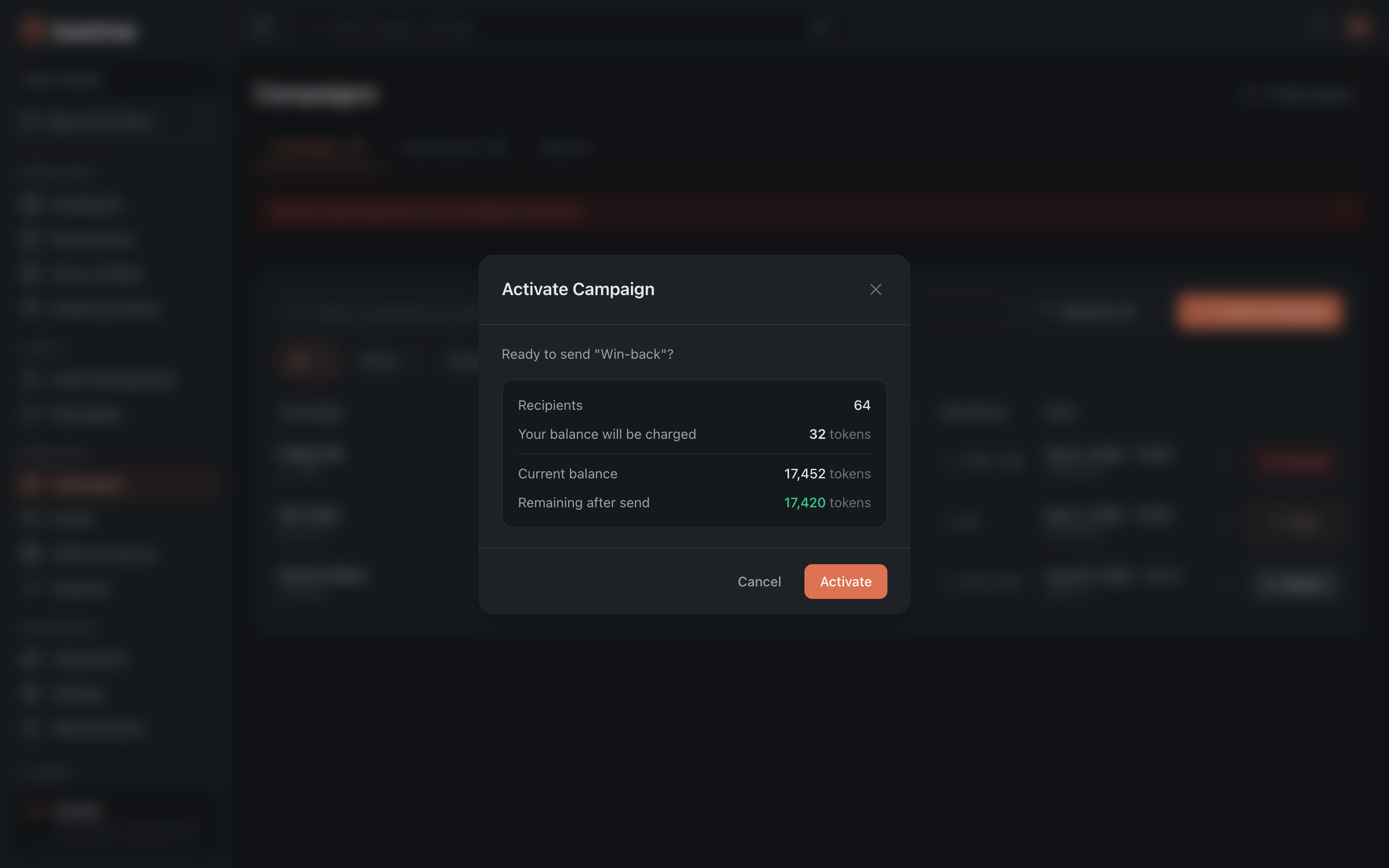
On the “Audience” step of the campaign editor you can see the number of recipients and the estimated cost.
-
When you press “Start”, the confirmation window lays everything out line by line: “Recipients”, “Your balance will be charged”, “Current balance” and “Remaining after send”. For SMS an “SMS segments” line is added — the multiplication is visible right there, like “3 × 128”. If there are not enough tokens, “Not enough tokens” appears instead, with a “Top up” button, and the activation button is locked.
Top up the balance
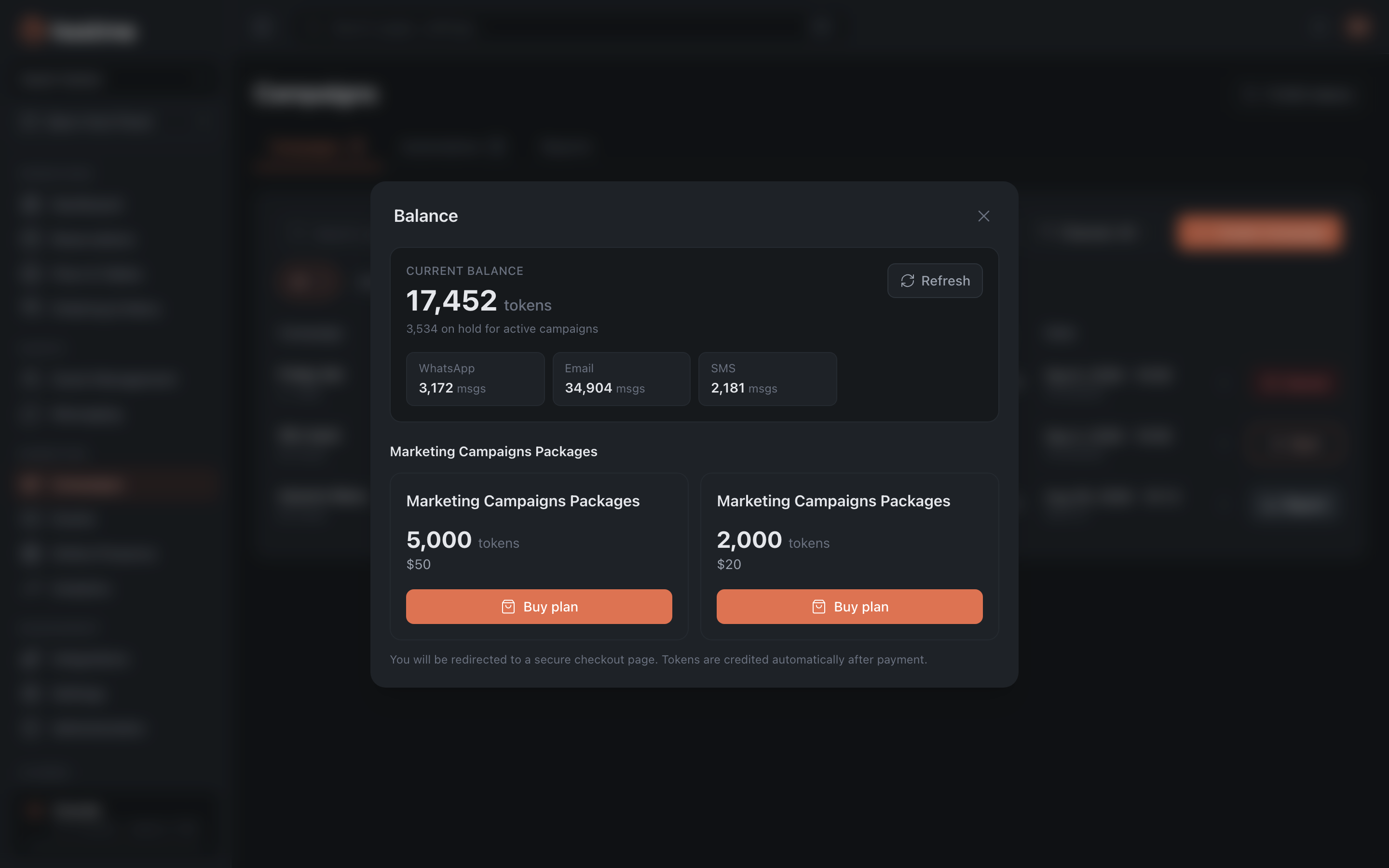
Open the “Balance” window → the “Marketing Campaigns Packages” block → “Buy plan”. A token costs a cent: the 5,000-token package is $50. The payment page opens in a new tab; after payment the tokens are credited automatically. When you return to the tab with the panel, the balance refreshes on its own — the “Refresh” button is only needed if for some reason that did not happen.
What’s next
- Campaigns — how to build and send a campaign.
- Campaign reports — what came of what was sent.
- Guide: measure campaign effectiveness.