How to require manual approval for bookings in a specific area
The terrace or the banquet hall is confirmed by the host, everything else automatically. Setting up Areas that always need approval.
Sometimes the whole restaurant can be left to auto-approval, but one or two areas can’t. The terrace depends on the weather, the private banquet room needs sign-off, the window seats are by arrangement only. The “Areas that always need approval” setting solves exactly that: bookings in the selected areas always go to the host, everything else is confirmed as usual.
What to do
-
Open Reservations → Online Booking tab.
-
First turn on “Allow guests to choose seating area” — the switch lives in the Booking Form section. This is a prerequisite; why exactly is explained below.
-
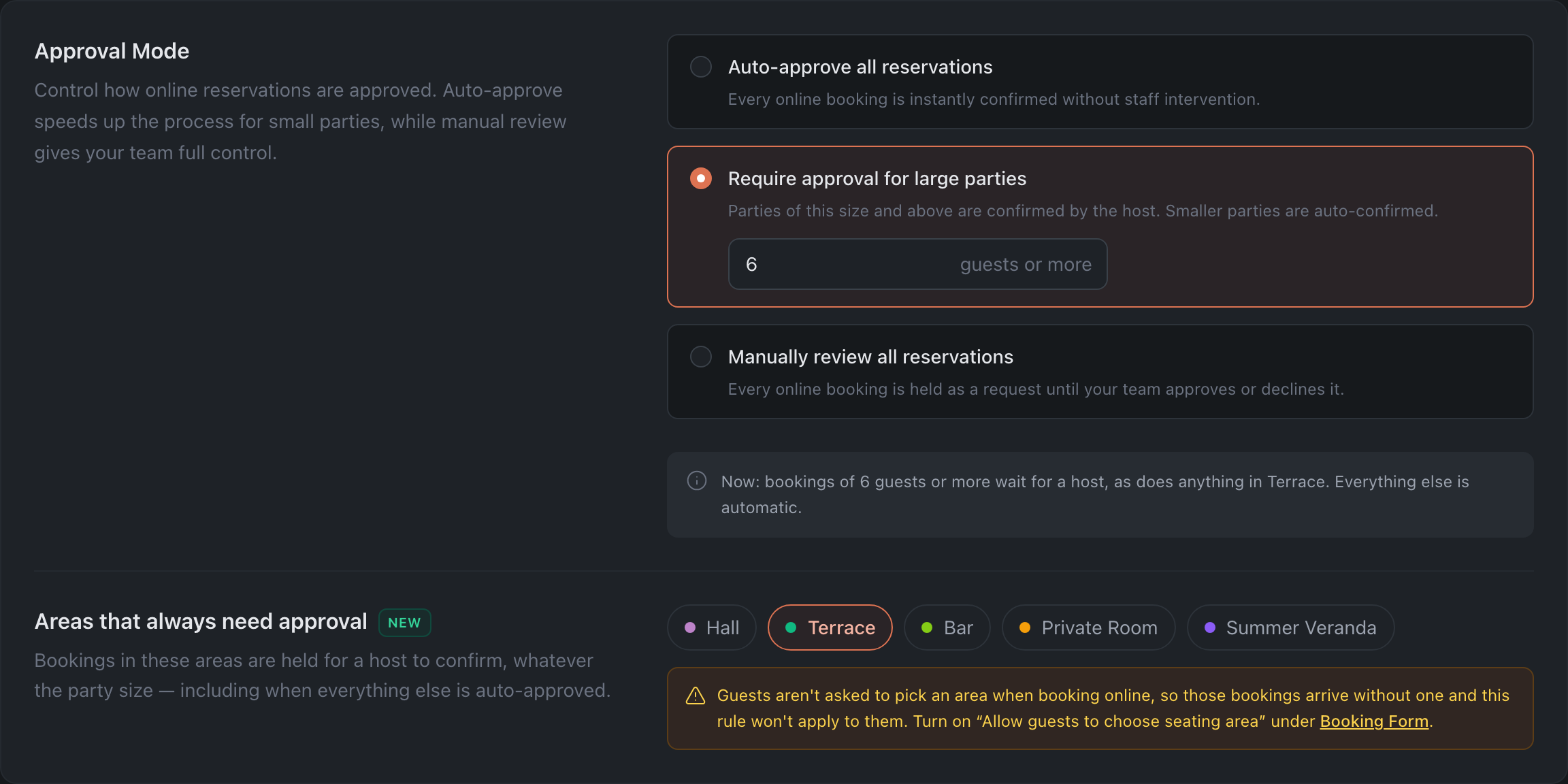
In the Approval Mode section keep the main mode you need — auto-approve all, or approval from N guests.
-
Below, in the “Areas that always need approval” block, tick the areas the host should always confirm.
-
Check yourself against the summary line under the setting. The panel spells out the resulting rule in full, for example: “bookings are confirmed automatically, except in Terrace — those wait for a host”.
How it combines with the approval mode
The area list works on top of the selected mode, not instead of it. A booking goes to manual approval if at least one of the conditions holds:
- the party is at or above the threshold set in “Require approval for large parties” mode;
- or the guest picked an area from the list — at any party size.
That’s why “Auto-approve all reservations” plus a ticked terrace is a working combination, not a contradiction: a table for two in the dining room confirms on its own, a table for two on the terrace waits for the host.
Why the guest must choose an area
While the switch is off, the list of areas is not sent to the widget or to integrations. The guest doesn’t pick an area, the booking arrives without one, and there’s nothing for the rule to match. What’s more, table auto-assignment may then steer the guest away from the ticked areas — so the setting doesn’t just sit idle, it creates a false sense of control.
The panel warns about this right in the interface and links to the switch you need.
There is one exception: if all areas are ticked, there’s nowhere else to steer the guest — the booking stays without an area and still goes to approval. In that case the warning isn’t shown.
What’s next
- Online Booking — the whole tab.
- Guide: auto-approve small parties — the main mode.
- Floor Plans — where the areas themselves are created.