How to auto-approve only small parties
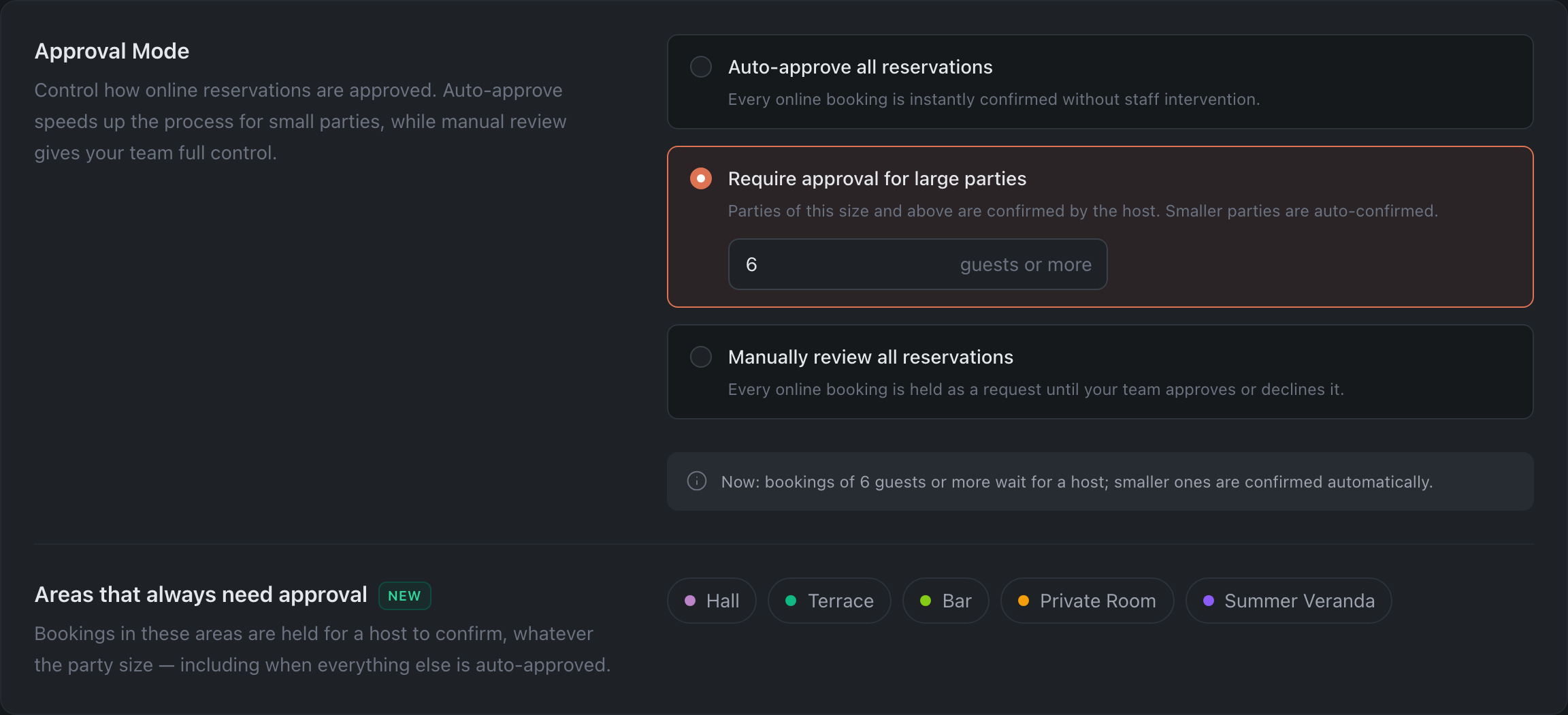
Set up the Require approval for large parties option: small bookings confirm on their own, while large parties are reviewed by you manually.
A convenient balance: small tables are confirmed automatically (the guest gets a confirmation right away), while large parties — banquets, big groups — you review by hand.
What to do
-
Open Reservations → Online Booking tab → the Approval Mode section.
-
Select “Require approval for large parties” and enter in the field the party size from which a booking should come to you. Note the label next to the field — “guests or more”: this is the first size that goes to approval. To auto-approve parties of up to six inclusive, set 7.
-
Click “Save Changes”.
Result: bookings below the specified size are confirmed instantly, while parties of that size and larger wait for your approval. With a threshold of 7, a guest booking for six gets an instant confirmation, while a booking for seven comes to you as a request. The current rule is spelled out in words under the setting — a handy line to check yourself against.
Related: Set up the widget