How to close the shift
At the end of the shift: release tables, mark no-shows and leave a note for the next shift.
Before you leave, tidy up the panel so the morning shift starts with a clean slate.
What to do
-
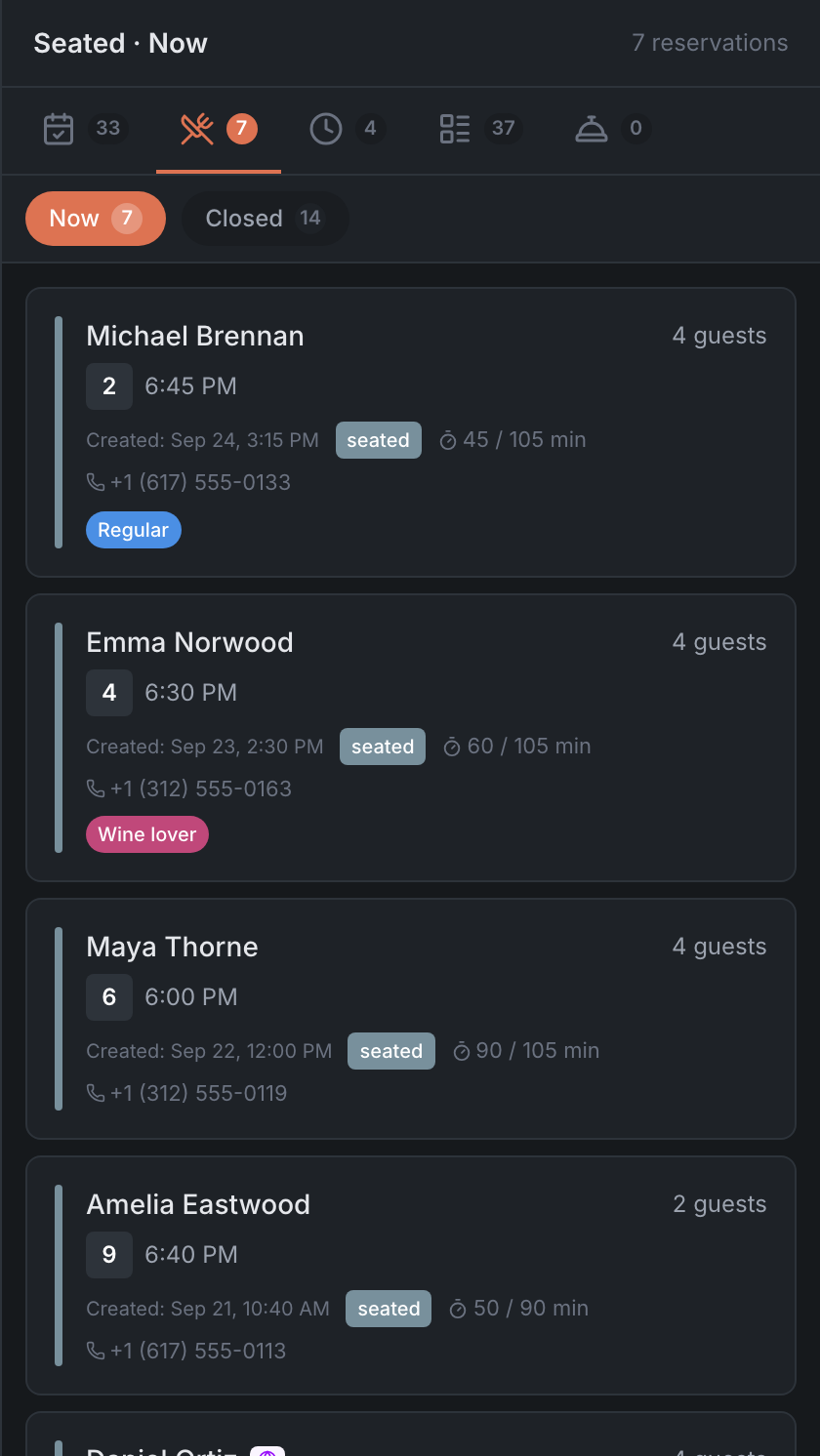
Release tables where the guests have already left: open the table on the Map → Release table. The button works at once, with no question — make sure you tap the right table. Who is still seated is shown on the Seated tab in the side list.
-
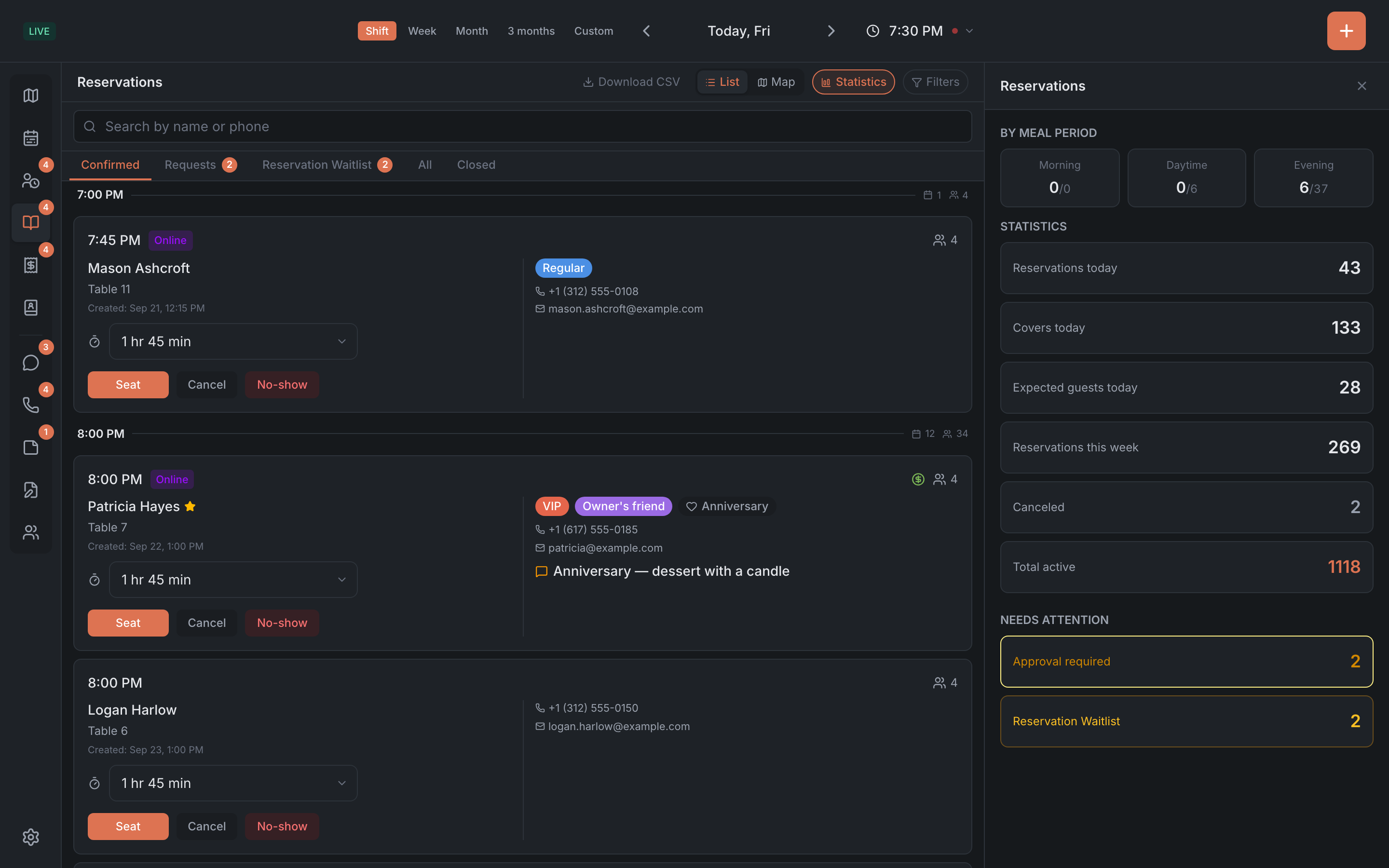
Mark no-shows. On the Reservations tab → Confirmed, bookings with the Late badge are guests who never came. Open the booking and tap No-show.
-
Check the waitlist — cancel the guests who never got a table.
-
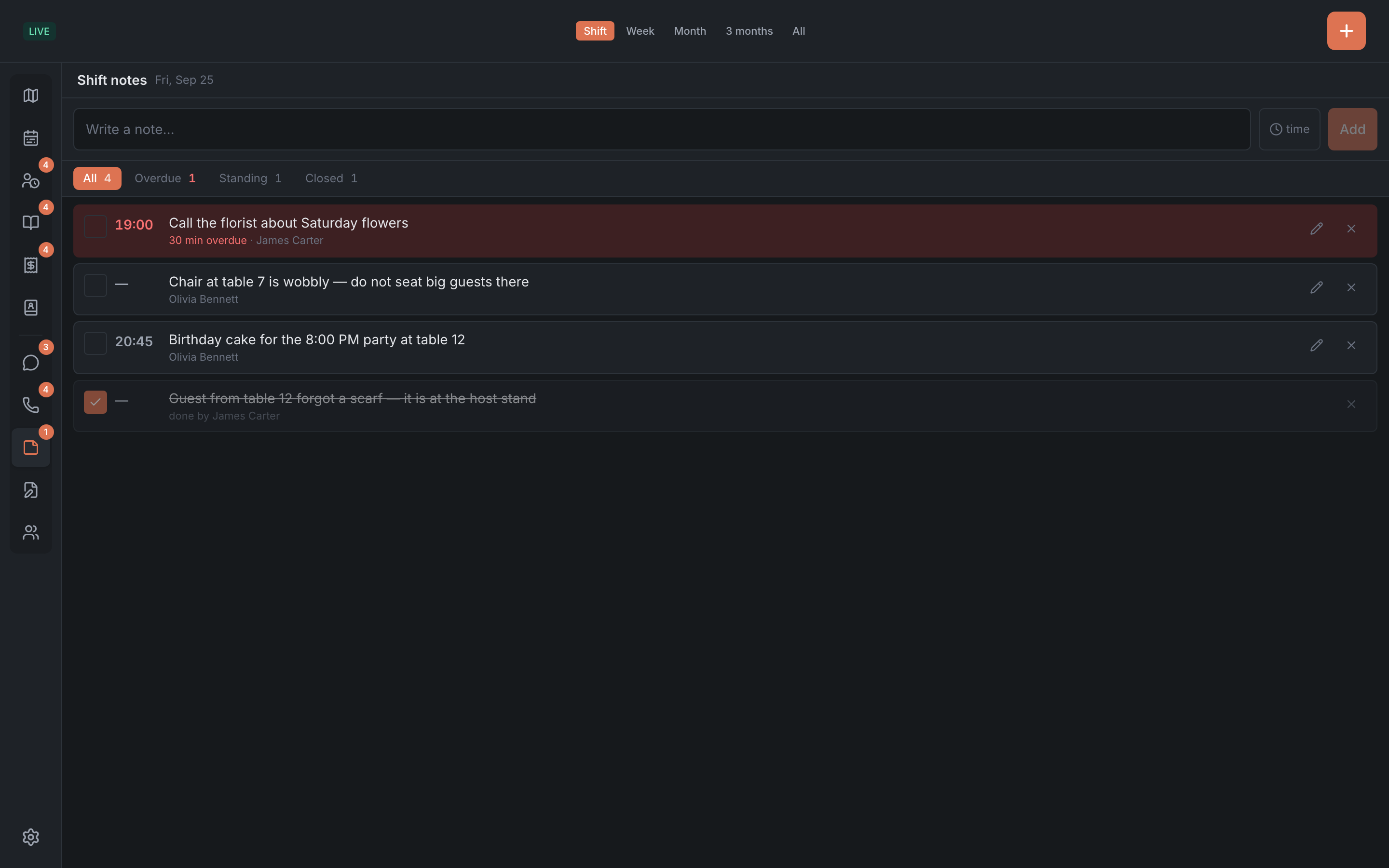
Close finished notes with the checkbox on the Notes tab.
-
Leave a note for the next shift — for example, “the chair at table 7 is wobbly” or “the guest from table 12 forgot a scarf, it’s at the stand”. A note without a time stays until someone closes it. See Shift notes.
Result: no “hanging” guests in the room, no-shows are marked, and the morning shift knows what happened in the evening.