How to seat a walk-in
A guest came without a booking: seat them at a free table right away, or add them to the waitlist, promise a time, call and seat them.
A guest came without a booking. If there’s a free table, seat them right away. If not, add them to the waitlist.
What to do
There’s a free table:
-
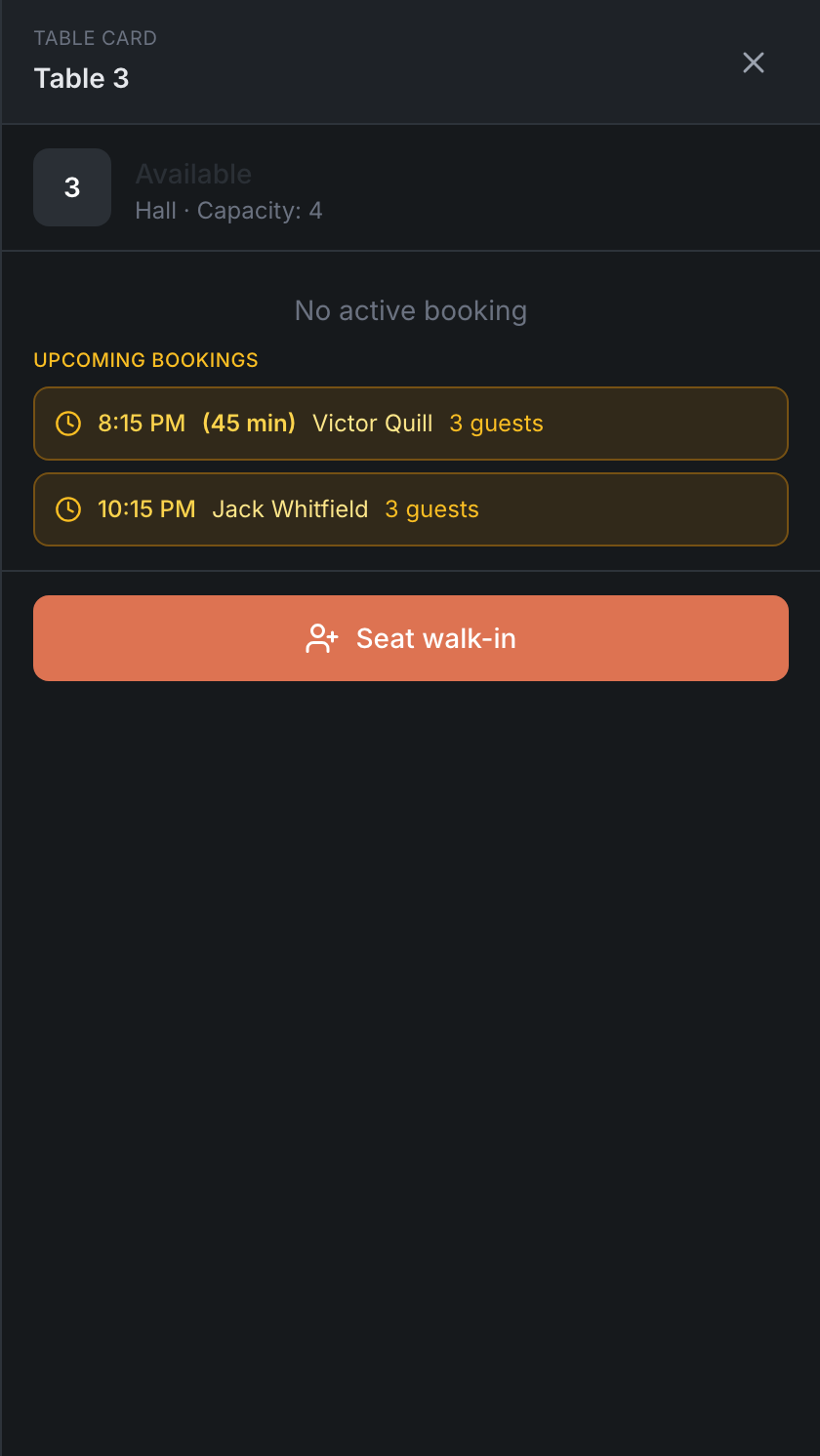
On the Map, tap a free table — its card opens. The time strip should be at “now”.
-
Tap Seat walk-in, enter the party size and, if needed, the name and phone.
-
Tap Seat a party at the bottom of the form. The guest is seated.
If quick walk-in seating is on in your restaurant, the button has a lightning bolt and the guest is seated at once, with no form. See Table card.
No free tables:
-
+ in the header → Waitlist.
-
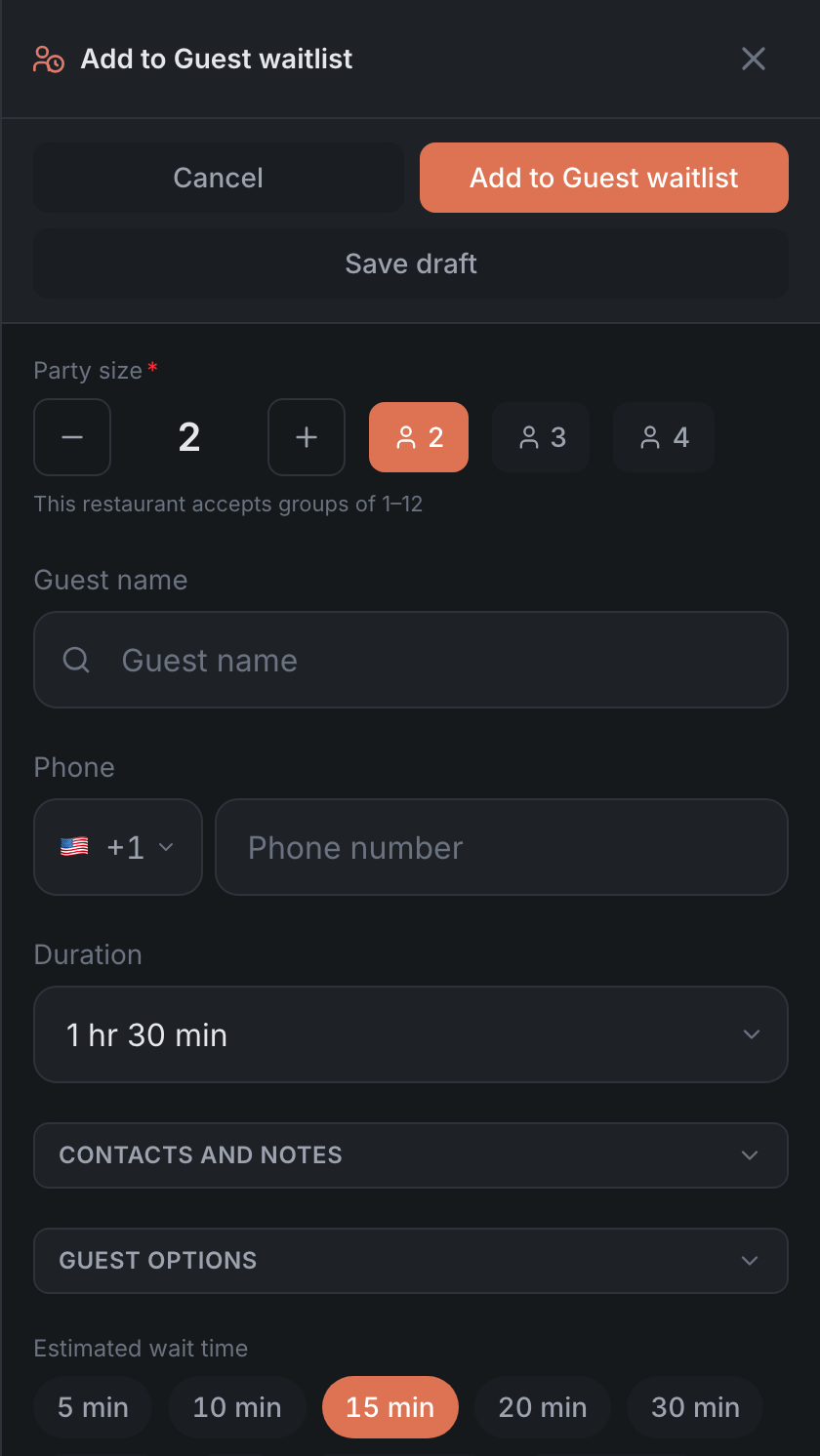
Enter the party size, name and phone — a phone number makes it easier to call the guest.
-
Pick the Estimated wait time — the panel suggests how long people usually wait.
-
Tap Add to Guest waitlist.
-
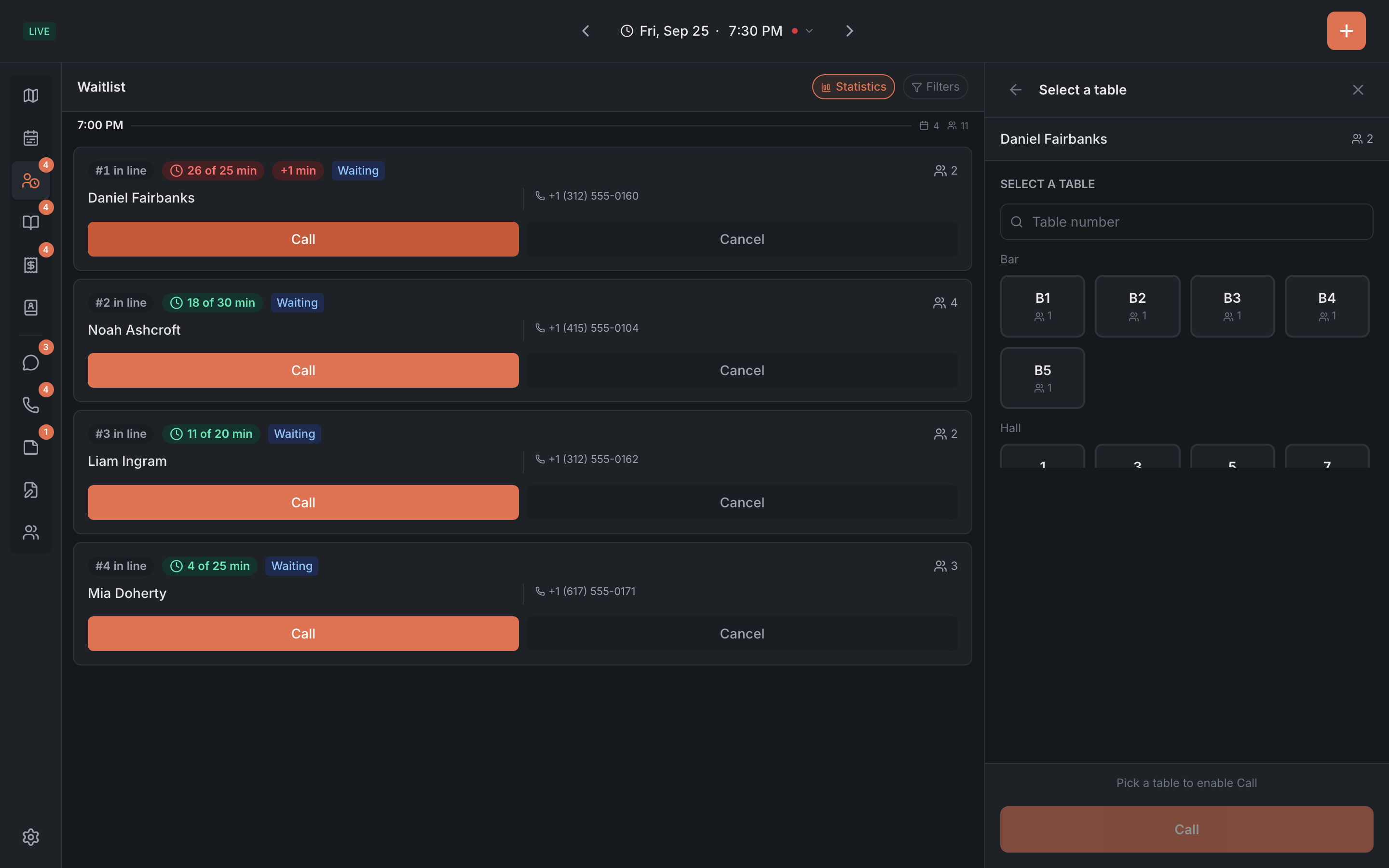
When a table frees up, open the guest in the waitlist, tap Call and pick the table.
-
When the guest comes over — Seat.
Details in Waitlist.
Result: the guest is seated, and if they waited in line, they had a promised time and a clear order.