How to limit the flow of reservations at peak time
Smooth out the rush of guests in peak slots and keep a ceiling on how full the room gets — everything is configured on one tab.
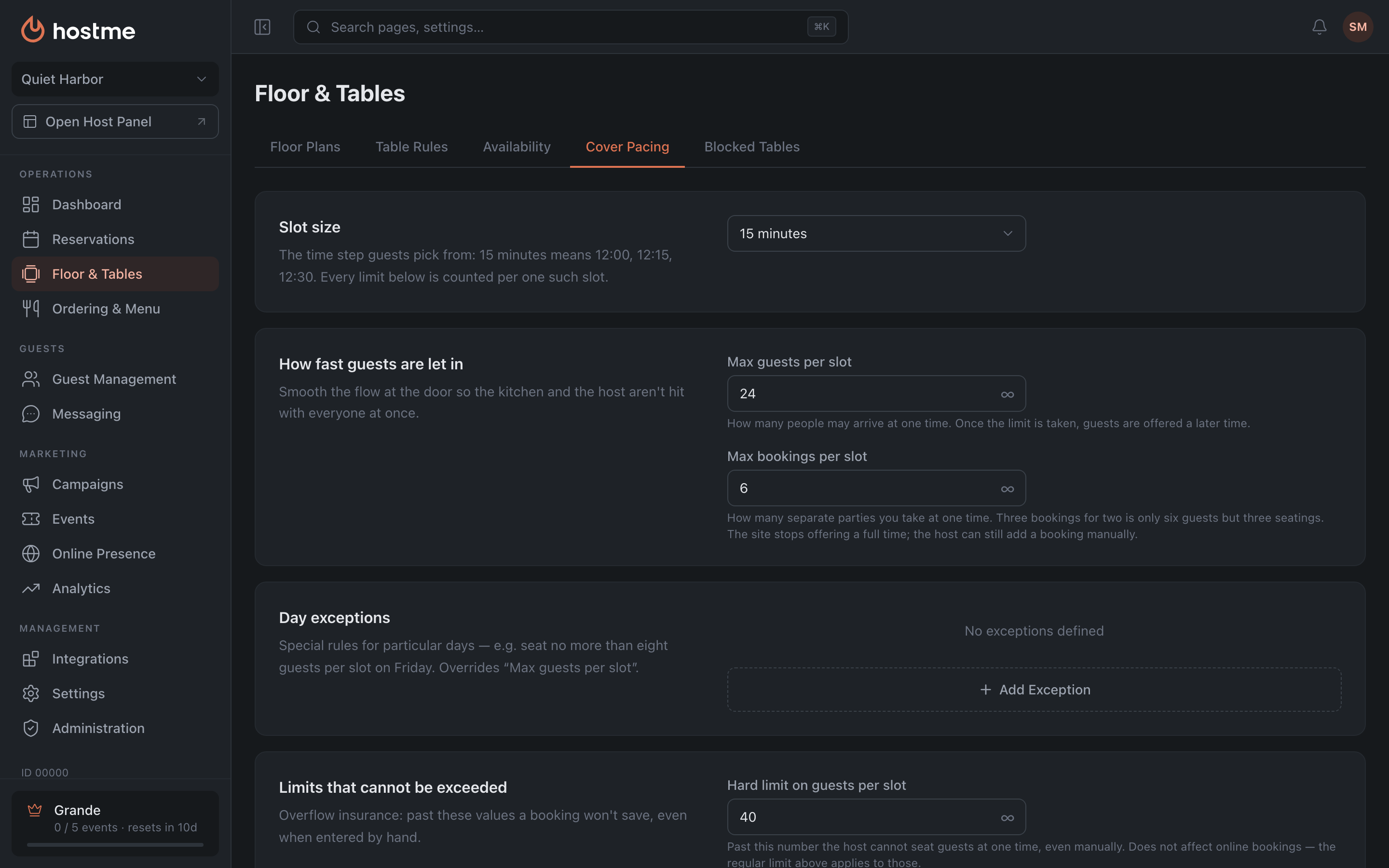
If too many guests arrive at once at peak time, limit the flow. All the settings you need are in one place: Floor & Tables → Cover Pacing.
What to do
-
Open Floor & Tables → the Cover Pacing tab.
-
Check Slot size — the time step the guest picks from (for example, 30 minutes). The “per slot” limits are counted for one such slot; channel quotas work differently — they count who is seated at a given moment.
-
In the How fast guests are let in section, set:
- Max guests per slot — how many people can arrive at one time. Once the limit is used up, the guest is offered a later time.
- Max bookings per slot — how many separate parties are accepted at one time (three reservations for two are six guests, but three seatings).
-
In the How much of the room each channel gets section, set Online guests at the same time — what share of the room you give to online. The remaining seats stay for the host and walk-in guests.
-
If you need a ceiling that can’t be broken manually — in the Limits that cannot be exceeded section, set the hard values above the soft ones.
-
Click Save Changes.
If the peak is only on Fridays
Don’t change the general limit — add a row in the Day exceptions section: choose the Day, set Max guests — the rule will override “Max guests per slot” on that day. If the rush only happens at certain hours, click Add time slot and specify the window (for example, 19:00–22:00); without a time slot the rule applies to the whole day.
Result: reservations are spread out evenly, and the kitchen and the room aren’t overloaded at peak time.
Learn more: Cover Pacing — a walkthrough of all eight settings.
Related: Online Booking Hours