How to measure a campaign's effectiveness
Reading a campaign report: deliverability, opens, clicks, the funnel and CSV export.
The campaign has gone out — now you need to understand whether it worked. Everything for that is on the “Reports” tab in the Campaigns section.
What to do
-
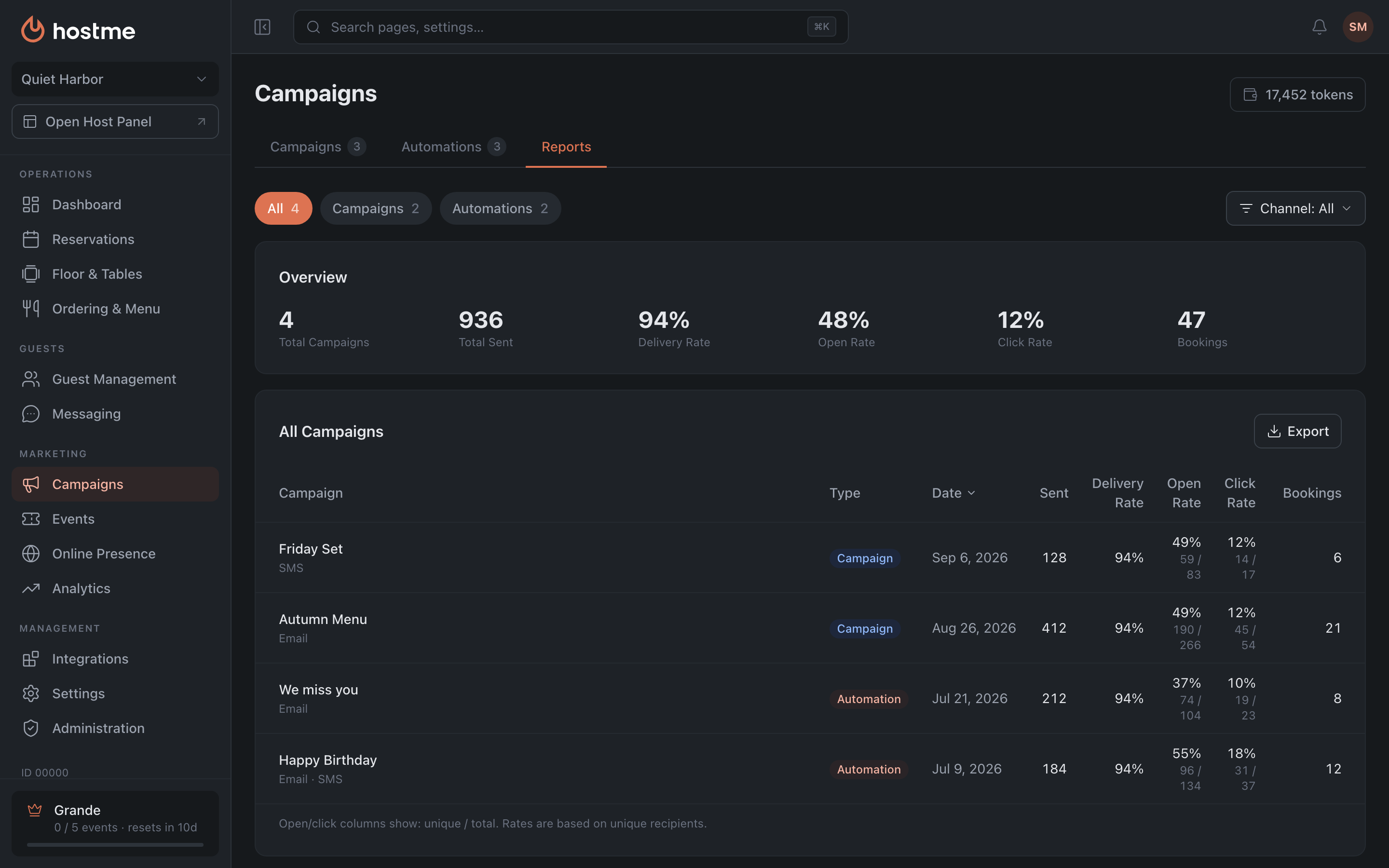
Open Campaigns → the “Reports” tab. No need to wait for sending to finish: a row appears as soon as at least one message has gone out.
-
At the top, pick the type — “Campaigns”, “Automations” or “All” — and, optionally, a channel. The summary and the table recalculate for the filter.
-
Look at the summary: how many were sent in total, three rates — delivered, opened, clicked — and how many reservations came in.
-
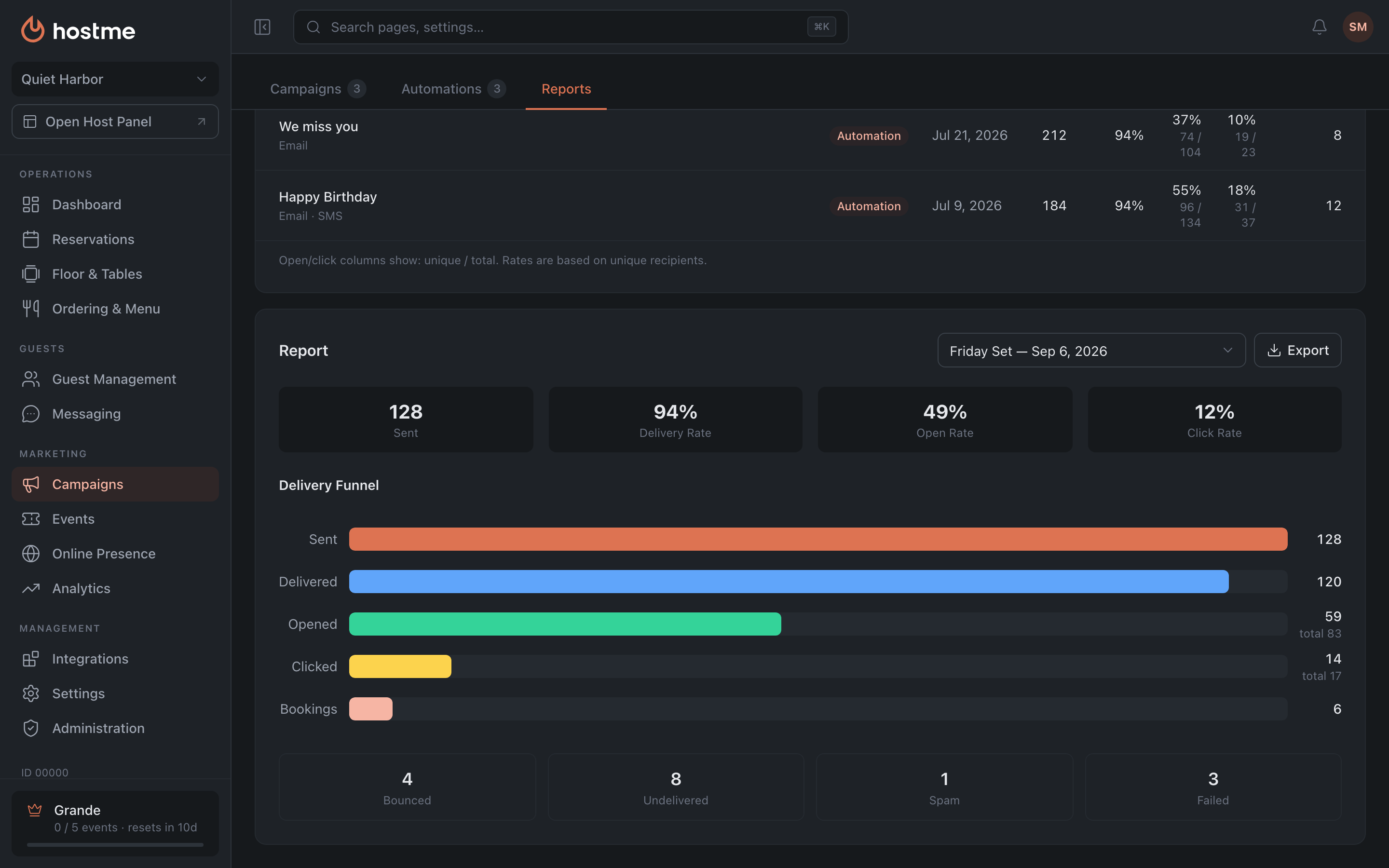
Click the row of the campaign you need — a detailed report opens with the funnel and a breakdown of failed sends.
-
If you need to keep the numbers or compare them with last time — export a CSV: there’s an export button both for the whole table and inside a single campaign’s report.
How to read the numbers
Deliverability first. That’s delivered ÷ sent. If it has dropped, the copy isn’t the problem — the base is: outdated addresses, wrong numbers. Digging into the content before the email even arrives is pointless.
Then opens. Unique opens ÷ delivered. Note the denominator: it’s counted from what arrived, not from what was sent. Opens are about the subject line and the sender: the guest decides whether to open before seeing the content.
Then clicks. Unique clicks ÷ delivered. This one is about the content and the offer itself.
In the table, opens and clicks are shown as unique / total. One guest may have opened the email three times — in “unique” they count once, in “total” three times. Rates are calculated on unique everywhere, and that’s what you should compare between campaigns.
Where to look for the cause if few opened
Expand the campaign report and look at the failure breakdown — “Undelivered”, “Bounced”, “Failed”, “Spam”. A noticeable share in “Spam” means the email arrived but was flagged as unwanted: look at the subject line, sending frequency and email branding, not at the offer itself.
What’s next
- Campaign reports — what each column means.
- Campaign tokens and cost — how much it cost.