How to set up an automatic birthday greeting
Set up an automation that sends a guest a greeting and a promo on their birthday by itself.
Automations send messages on their own, triggered by an event. The classic example is a birthday greeting with a promo code: set it up once and it runs automatically from then on.
What to do
-
Open Campaigns → the Automations tab.
-
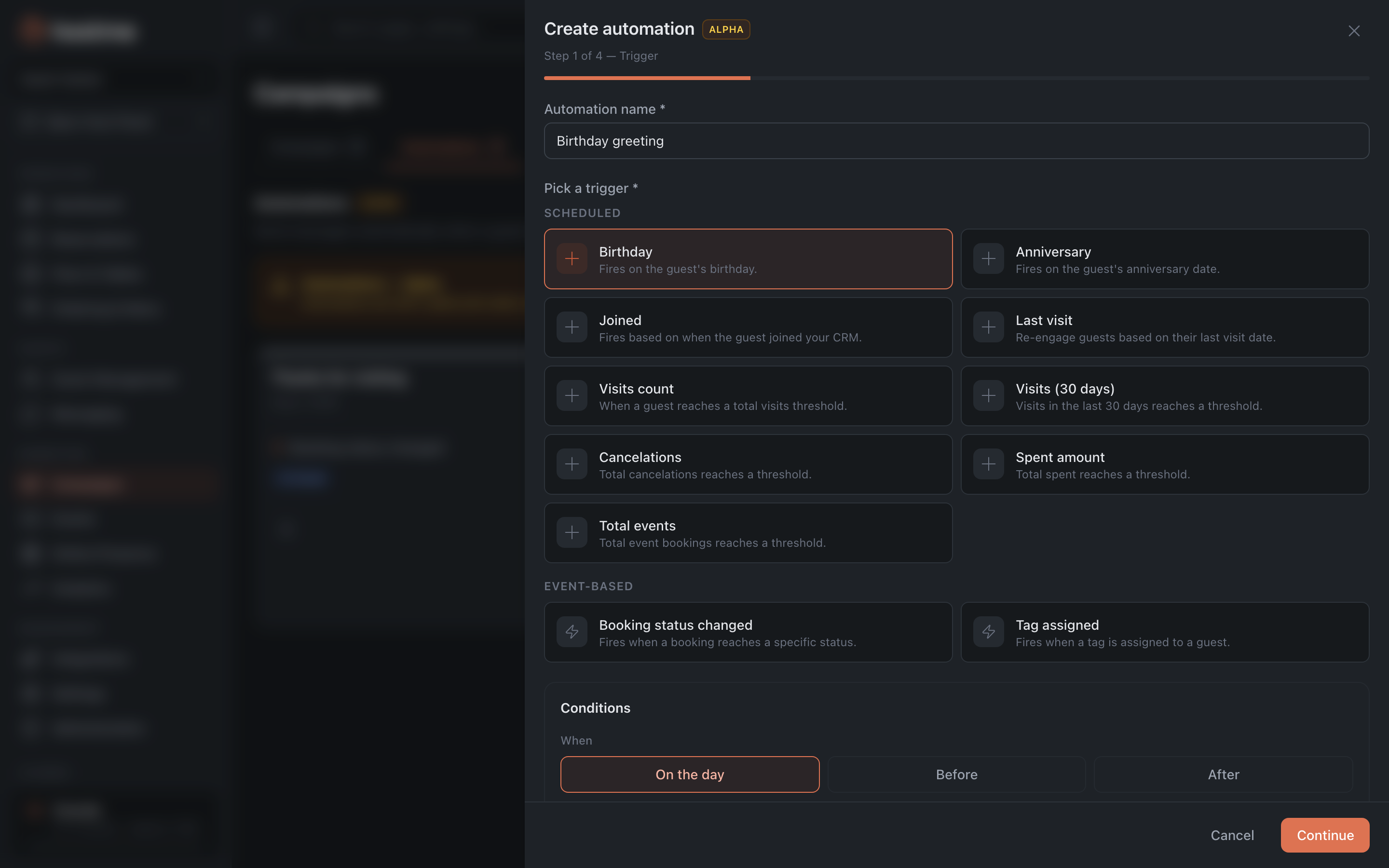
Create an automation with the Birthday trigger. You don’t have to send on the day itself — there are “N days before” and “N days after” options, plus the send time.
-
Choose the channels and set their content right away — unlike a one-off campaign, an automation can have several channels, and the text is written right there: the greeting and, say, a promo code or a gift.
-
On the Audience step, narrow the recipients with segment filters if needed. The trigger condition and the filters work together: the greeting goes only to those birthday guests who match both.
-
On the “Settings” step turn on the Activate immediately toggle and save. It’s off by default — without it the automation stays a draft and won’t run. You can also activate it later, from the automation’s card.
Result: every guest automatically receives a greeting on their birthday — no manual sending.
Related: Segments and campaigns