How to start accepting deposits
Set up deposits and prepayments for bookings — from connecting a payment provider to rules and per-table deposits.
To charge guests a deposit or prepayment for a booking, you need to go through several steps in different sections: connect a payment provider, enable fee collection and set the rules. Below is the whole path in order.
Step 1. Connect a payment provider
Deposits are charged through a payment provider, so start there.
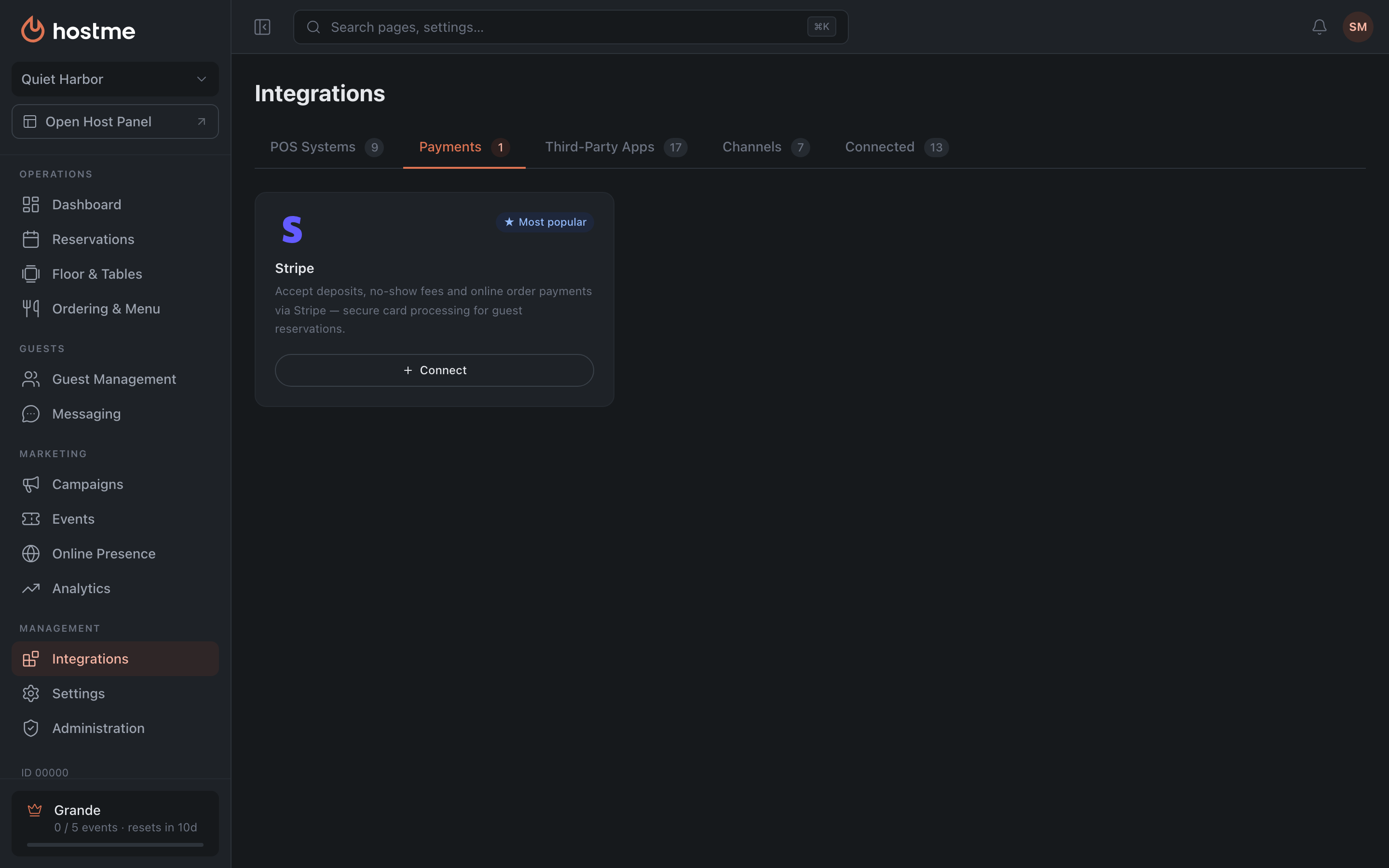
Open Integrations → Payments tab, pick a provider and click “Connect”. Then follow the provider’s prompts to confirm.
Step 2. Enable fee collection
Open Reservations → Deposits & Fees tab and turn on “Collect fees for reservations”.

Step 3. Choose payment methods
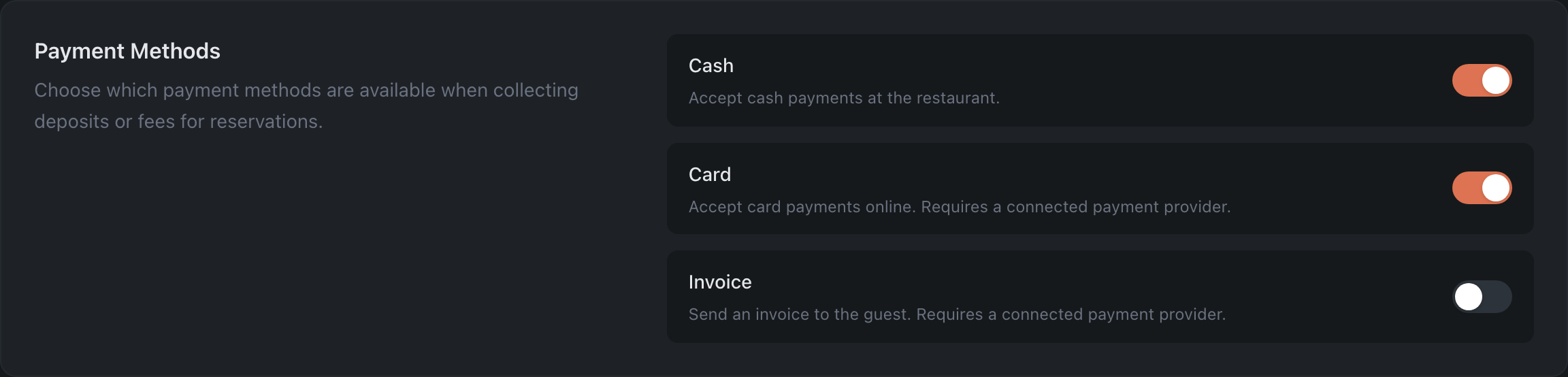
In the Payment Methods section, enable the ones you need: Cash, Card and/or Invoice. Card and Invoice are available only when a provider is connected.
Step 4. Set the rules and amounts
In the Rules section, choose the payment mode:
- Deposit — the guest pays when creating the booking (refunded according to your refund policy).
- Cancellation Fee — the guest pays only if they cancel after the deadline.
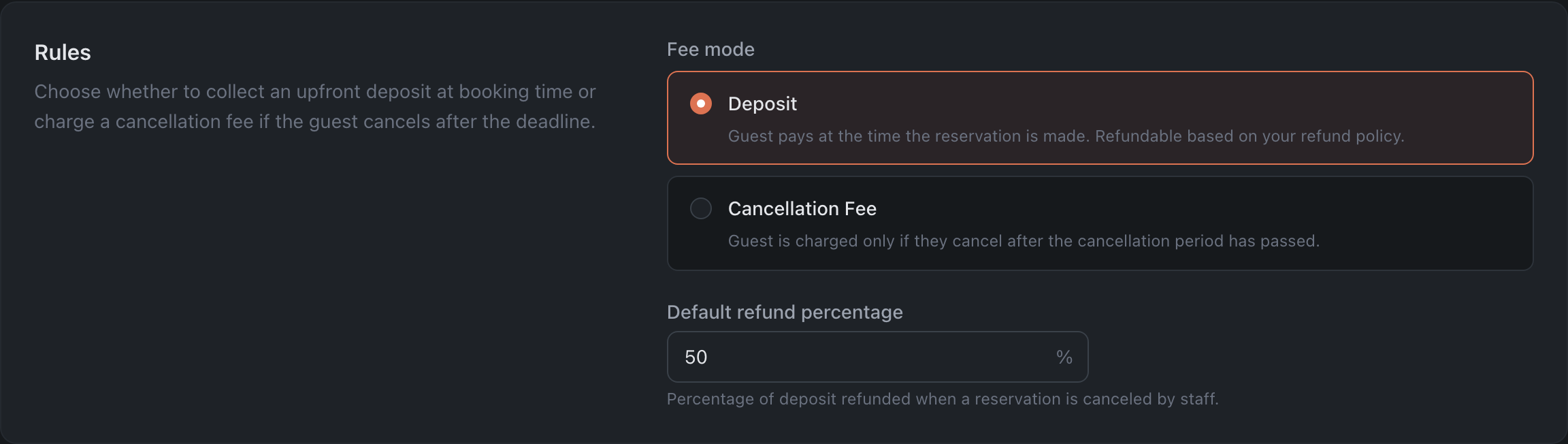
For the Deposit mode, the default refund percentage is set right here — how much is returned to the guest when staff cancel. For the Cancellation Fee mode — the cancellation period, i.e. how many hours before the booking a cancellation is still free.
Below, in the Fees by Group Size section, click “Add fee rule” and set the amounts — the table is shared by both modes. Don’t forget to click “Save Changes” at the bottom.
Also have a look at Payment Timeout: it sets how long after the booking is created the guest gets a payment reminder, and after how long an unpaid booking cancels itself.
Step 5 (optional). A deposit for a specific table
If individual tables (for example, VIP or by the window) need their own deposit, set it in the floor plan editor.
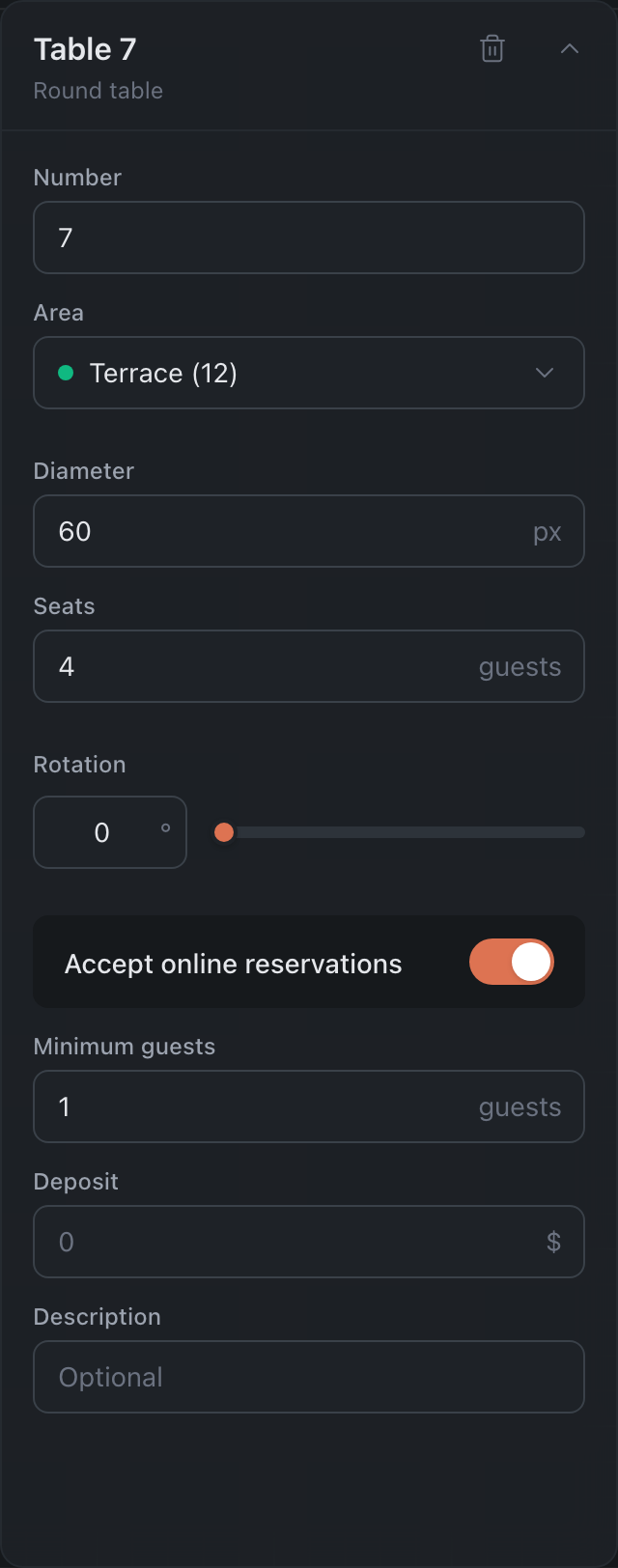
Open Floor & Tables → Floor Plans → the plan you need → select the table and enter the amount in the Deposit field, then Save. The field is available only when the table accepts online reservations.
Done — from now on guests will pay a deposit when booking, according to your rules.