How to manage the queue at the door
Set up the waitlist to seat guests without a booking and not lose them at peak hours.
When there are no free tables, the waitlist helps you keep guests: they join the queue, and you — or the system — call them as soon as a table frees up.
What to do
-
Open Reservations → Waitlist tab.
-
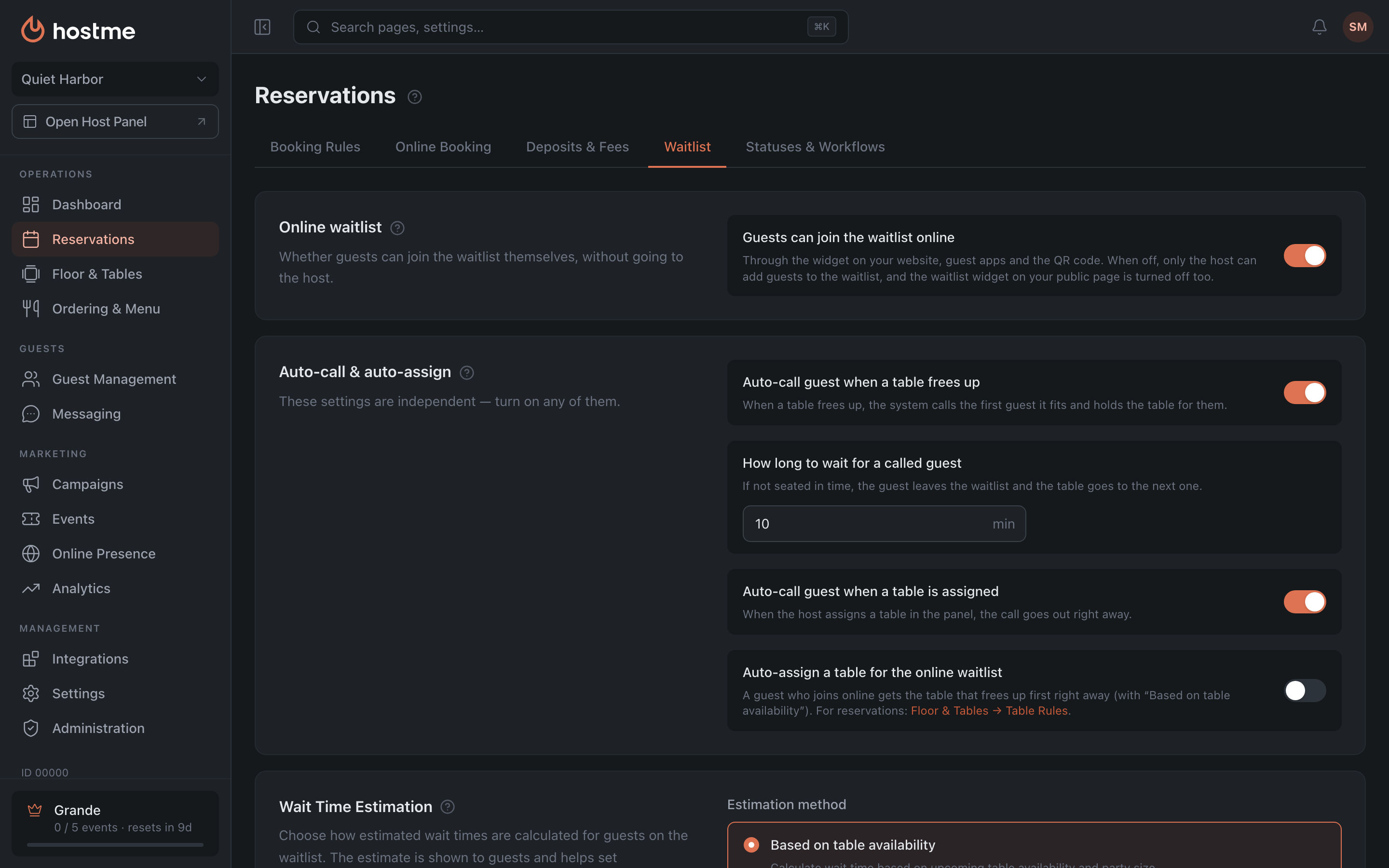
Configure how the waitlist works:
- Online waitlist — whether guests can join the waitlist themselves through the widget on your website, guest apps and the QR code. When it’s off, only the host adds guests.
- Auto-call guest when a table frees up — a table frees up, and the system calls the first guest the table fits and holds the table for them. Below it is “How long to wait for a called guest”: if the guest isn’t seated in that time, they’re removed from the waitlist and the table goes to the next one.
- Auto-call guest when a table is assigned — the call goes out as soon as the host assigns the guest a table in the panel.
- Wait Time Estimation → “Estimation method” — “Based on table availability” or “Average wait time” (calculated from recent seatings; the guest sees a realistic estimate).
- Allow manual hold — the host can hold a guest’s entry in the queue, for example while the table is being prepared; a maximum hold time is set for this.
- Auto-assign a table for the online waitlist — a guest who joins the waitlist online gets the table that frees up first right away (with “Based on table availability”).
The calling settings are independent — turn on any of them. What each one does in detail is in the Waitlist article.
-
Click “Save Changes”.
-
(Optional) To let guests join the queue online, turn on Online waitlist (step 2) and put the waitlist widget on your website: How to set up the widget (the “Waitlist” type). The waitlist widget on your public page is turned on separately — with the “Waitlist” row in the “Widgets” card (Online Presence).
Result: at peak hours guests join the queue instead of leaving, and the system helps seat them on time.
Related: Waitlist widget