How to build a guest segment and send a campaign
Select the right guests into a segment and send them a campaign (email/SMS/WhatsApp).
Campaigns work better when they go to the right audience. In Hostme you select guests into a segment and send them a campaign.
Step 1. Choose or create a segment
Open Guests → “Segments” tab. There are ready-made presets (VIP, new in the last 30 days, lapsed, “High spenders” — those who spent 500+ in total, and others) — or create your own segment Grande with the conditions you need.
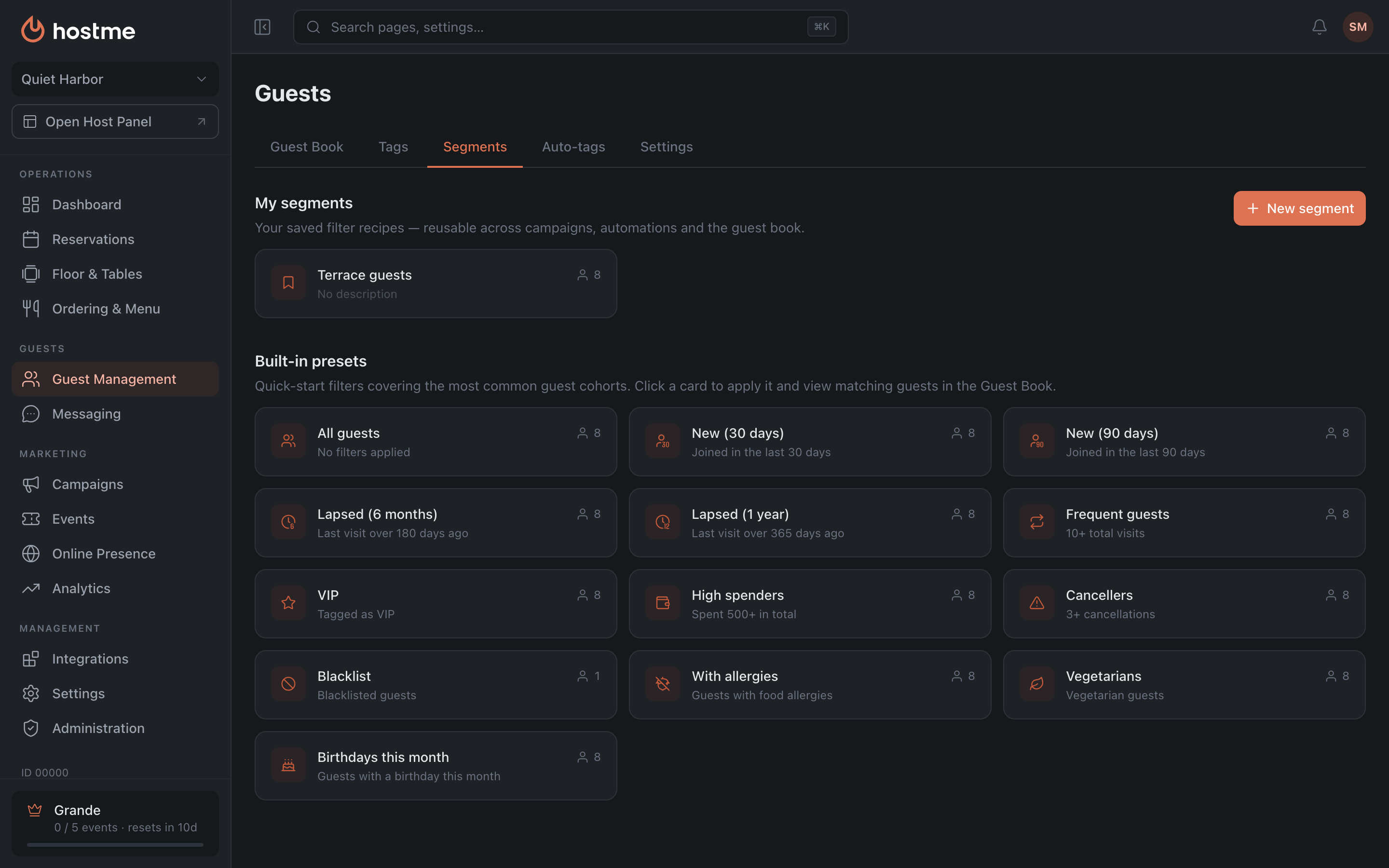
This step is for viewing and saving the audience. But the campaign itself is not attached to the segment here — you pick the recipients inside the campaign wizard, on the “Audience” step.
Step 2. Create a campaign
-
Open Campaigns → “Create Campaign”.
-
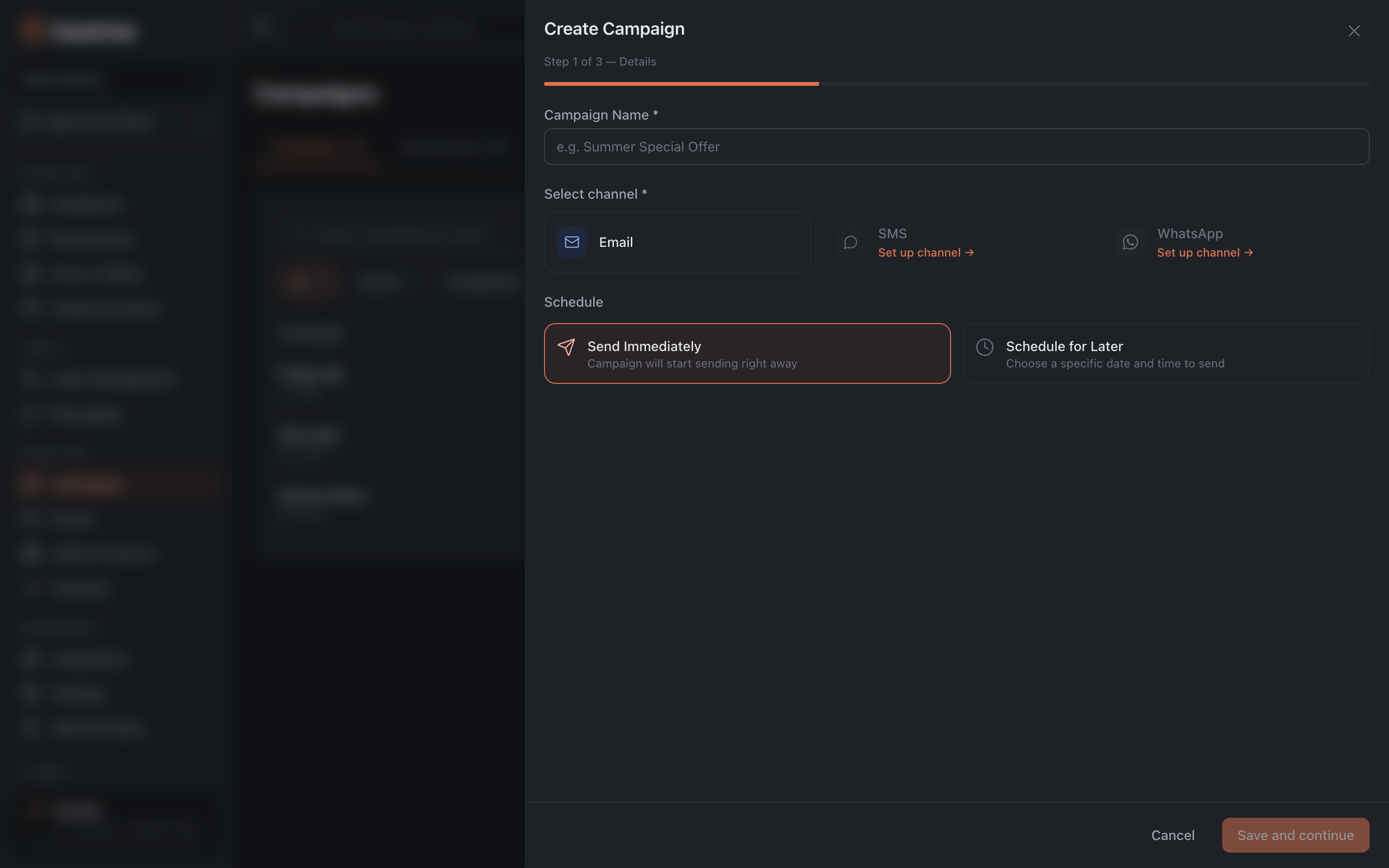
Details — the name, channel (Email / SMS / WhatsApp), schedule (send now or schedule for later). A campaign has one channel, and once the draft is created it can’t be changed.
-
Content — the text of the email/SMS. You can “Send Test” to yourself. Long SMS messages are counted by the number of SMS segments, so the cost grows with the length of the text.
-
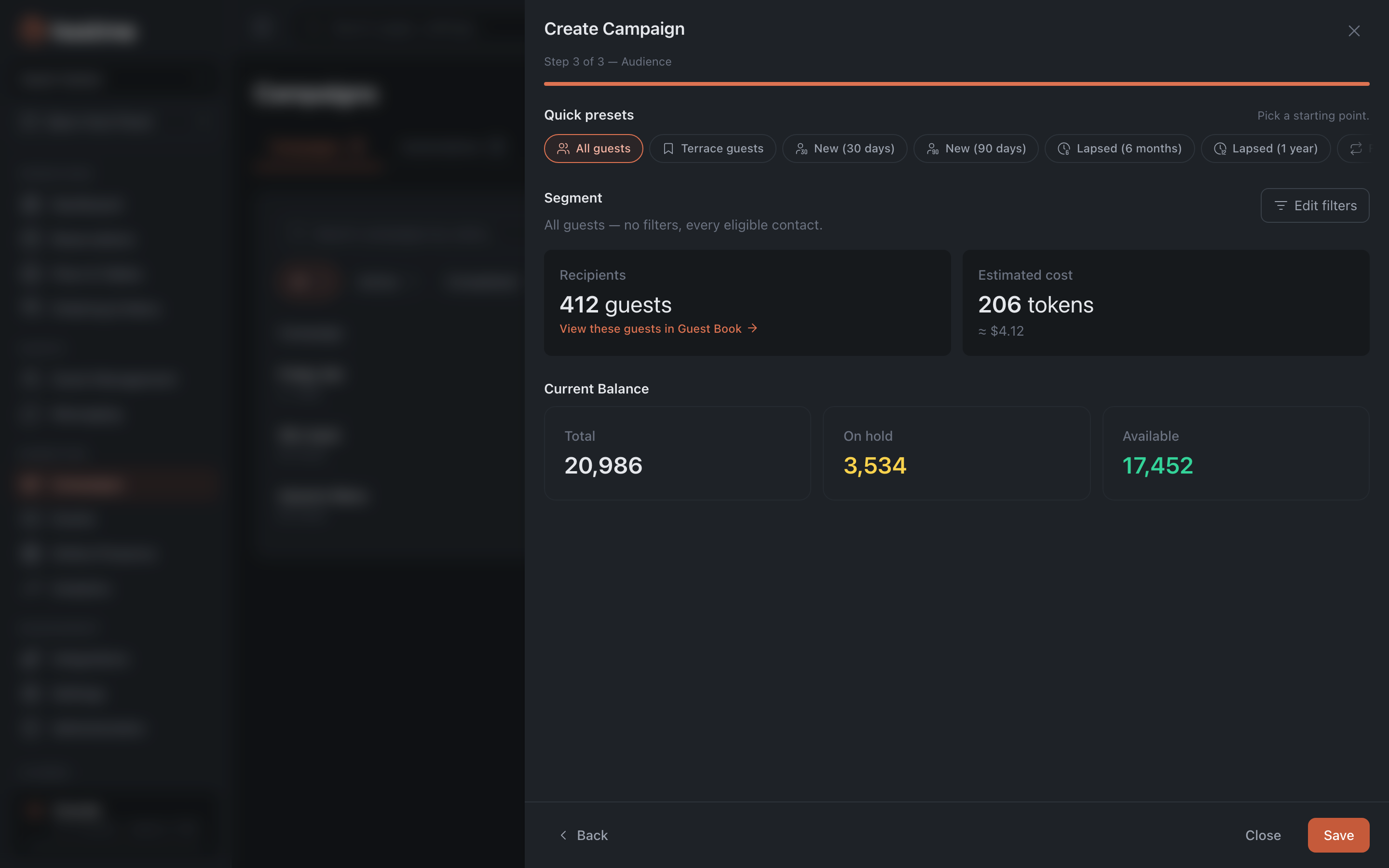
Audience — this is where you choose who the campaign goes to: the same quick presets and segment builder as in the Guests section. The number of recipients and the cost in tokens are shown right here. Guests who opted out never get it, and the Marketing consent condition picks only those who gave consent.
Step 3. Launch
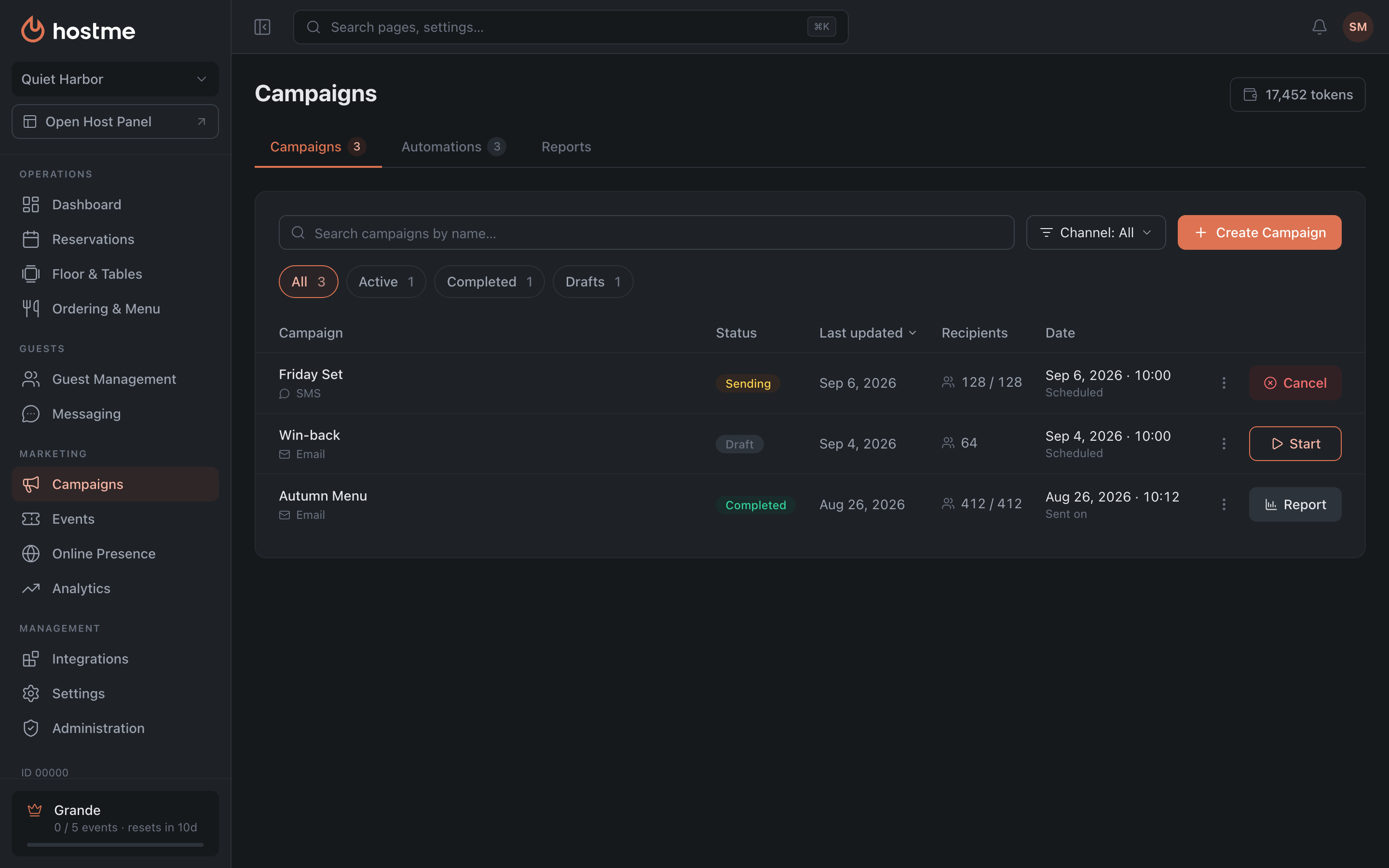
In the list, click “Start”. The “Activate Campaign” window opens: recipients, how much will be charged from the balance and how much will remain after the send. Confirm with the “Activate” button. If there aren’t enough tokens, the panel will say so and won’t let you launch the campaign.
Result: the right audience receives your campaign.
Related: Campaigns — the whole section: statuses, wizard steps, reports · Segments — presets and the builder · “Birthday” automation · Guest profiles