Blocked Tables
A walkthrough of the "Blocked Tables" tab — PIN protection for unblocking and blocking periods for specific tables.
The “Blocked Tables” tab (the Floor & Tables section) lets you temporarily take tables out of seating and protect unblocking with a PIN code.
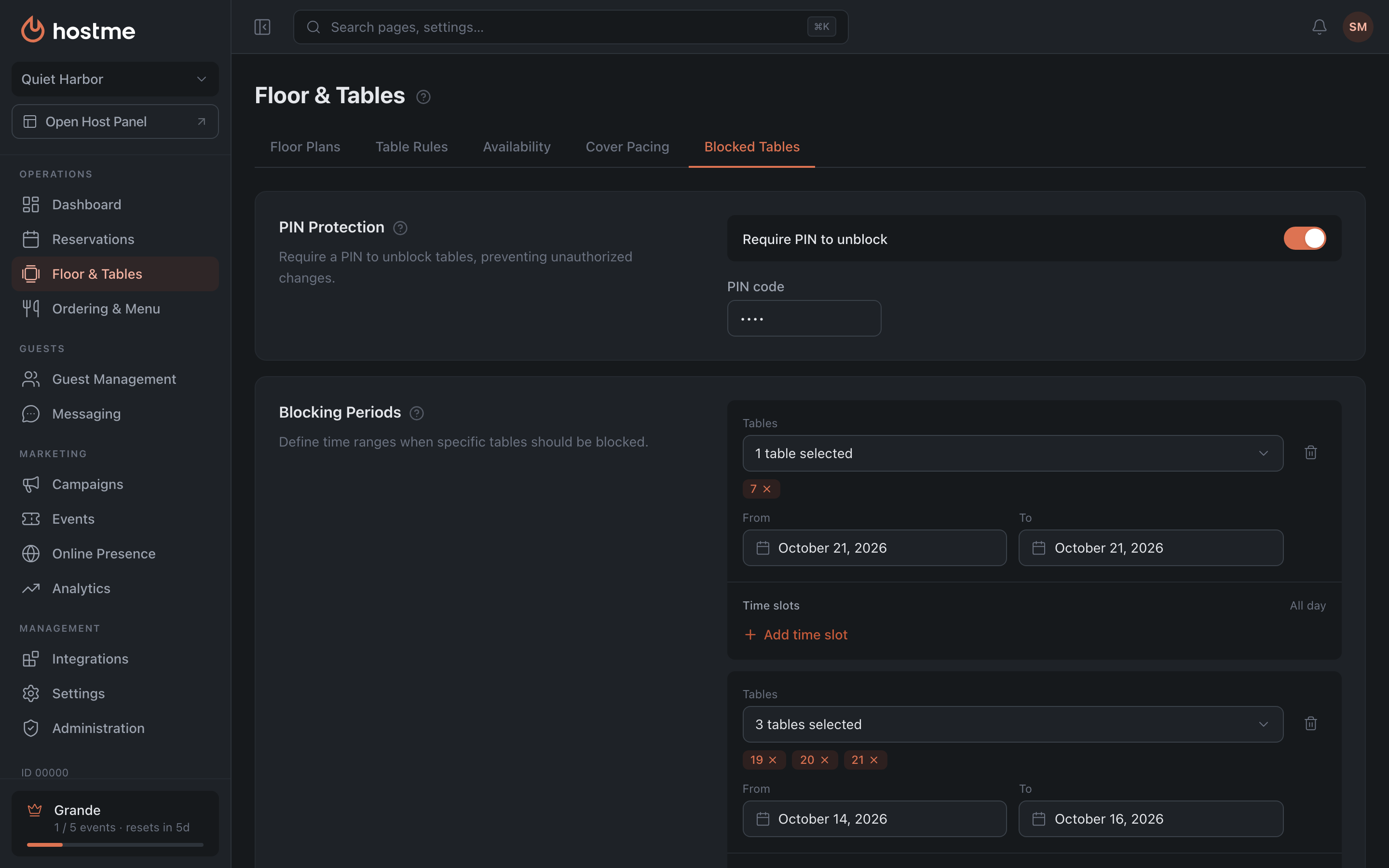
PIN Protection

- Require PIN to unblock — to lift a block from a table, a PIN must be entered.
- PIN code — up to 6 characters (appears when protection is on); the field placeholder suggests a 4-digit one.
Blocking Periods
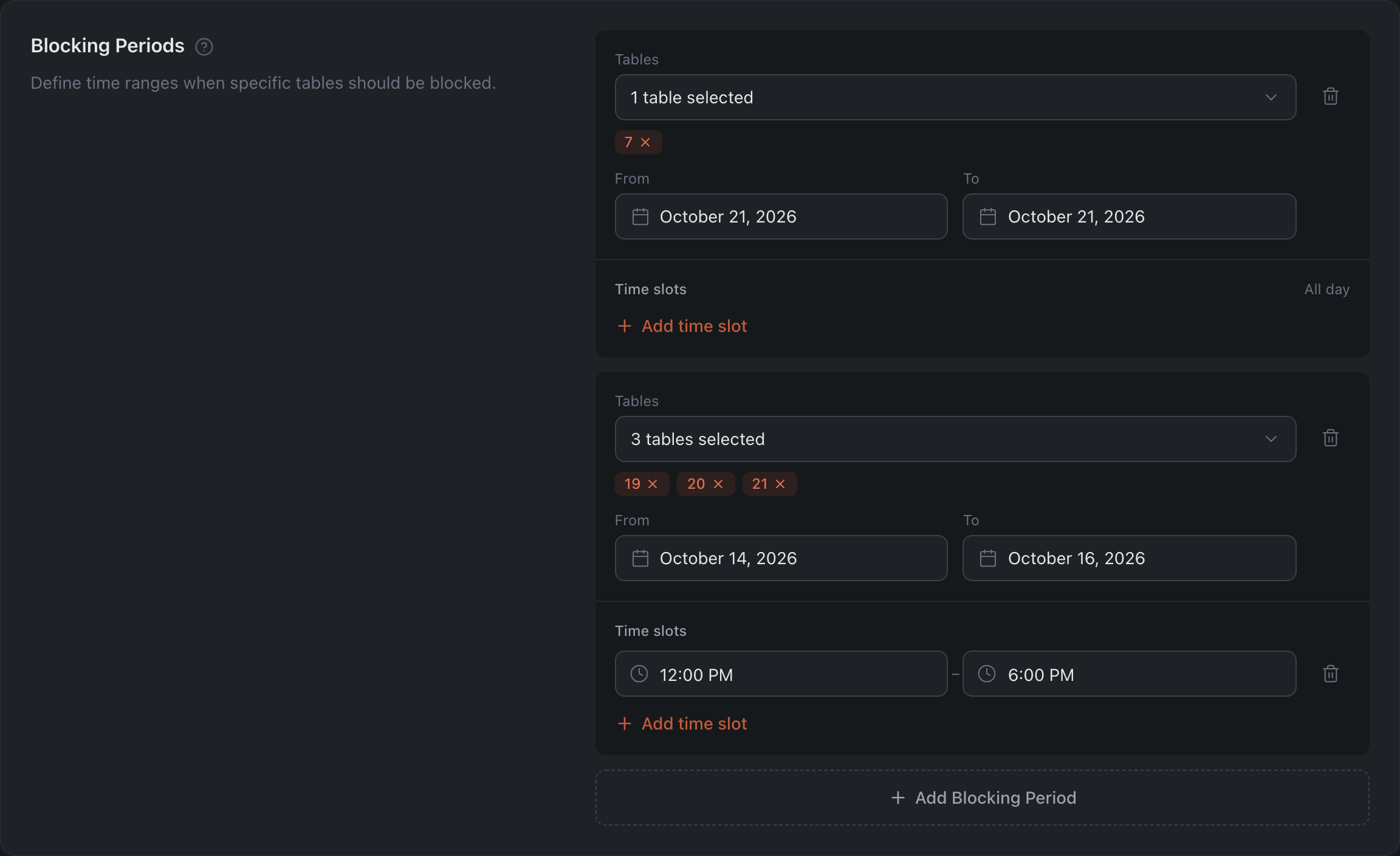
Define which tables are blocked and when. For each period:
- Tables — specific tables (empty = all tables).
- From / To — the period’s dates.
- Time slots — specific intervals, or “All day” if no intervals are set.
Past periods are marked with the “Expired” badge. The “Add Blocking Period” button.
Blocking overnight
Times in a slot’s lists follow the working day: from 5:00 AM to 11:45 PM, then 12:00 AM … 4:45 AM marked “+1”. “+1” means “after midnight”: the night after the chosen day.
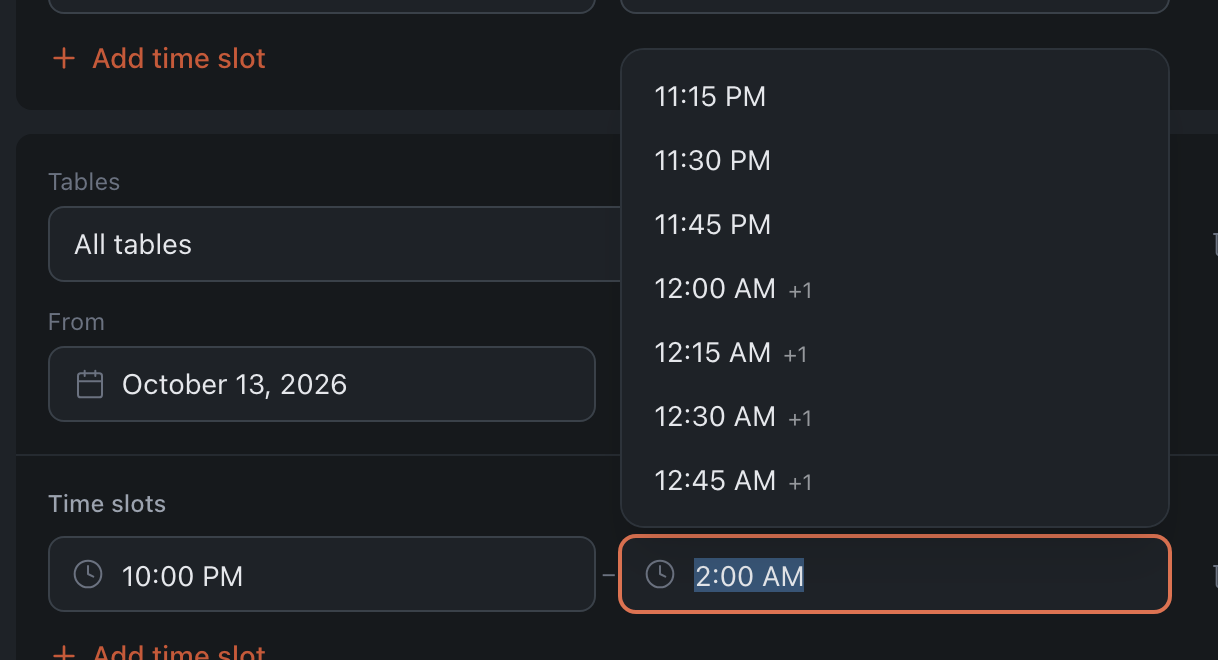
- To block a table from 10 PM to 2 AM, pick 10:00 PM as the start and 2:00 AM +1 as the end.
- The end list only has times after the start. If you move the start past the end, the end moves with it and keeps the slot’s length.
- If you type a time by hand (on a phone it’s always typed) and the end comes before the start — for example, “1:15 AM +1 → 11:45 PM” — “End time must be later than start time” appears under the slot and you can’t save. Fix the end: pick it from the list or type a time after the start.
How changes are saved
With the “Save Changes” button at the bottom (for roles with permission to edit tables).