Calendar
The restaurant's month on one screen: bookings and covers by day, requests, unpaid deposits, large parties, VIP guests, events, special hours and blocked tables.
The Calendar (the Operations section, right after the Dashboard) shows the restaurant’s month on one screen: how many bookings and guests each day has, what needs attention and what is planned. The calendar only shows things: to change something, go to its section through the links in it. Whoever sees the dashboard sees the calendar too.
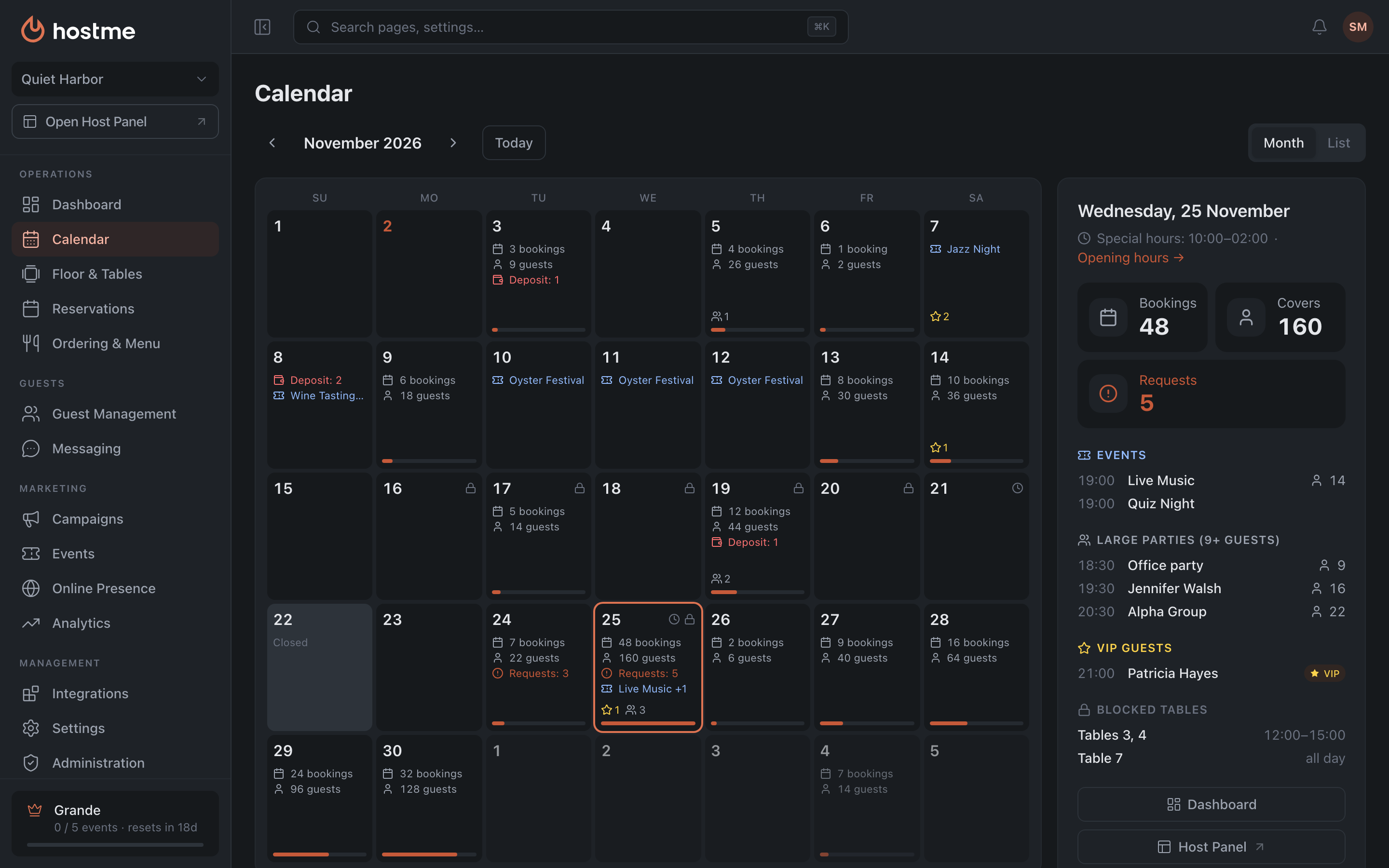
At the top the arrows switch months, Today takes you back to the current day, and on the right is the Month · List switch. The week starts on Monday, and on Sunday for restaurants in the US.
Month view
Each cell is a day. It shows:
- the day’s bookings and guests;
- Requests — bookings waiting for confirmation;
- Deposit — bookings with an unpaid deposit;
- the day’s events;
- at the bottom, a star with the number of VIP guests and an icon with the number of large parties;
- in the top right corner, a lock if the day has blocked tables, and a clock if the day has special hours;
- the bar at the bottom of the cell — how busy the day is: how full it is with guests compared with the busiest day of the month. Hover over the bar to see the exact number.
Closed is a day the restaurant doesn’t work.
A large party is a booking with more guests than the online booking maximum. You set it in Online Booking.
Click a day to open its panel.
Day panel
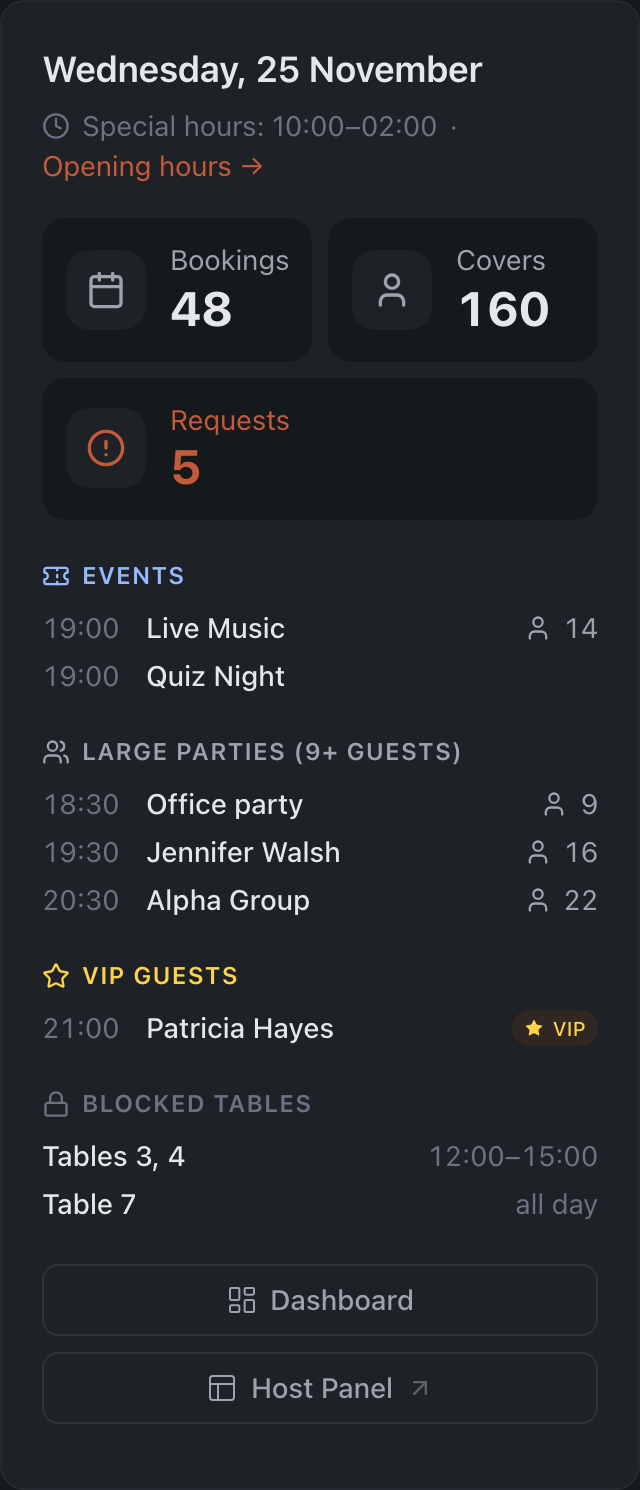
On a wide screen the panel sits to the right of the calendar, on a narrow one below it. It shows:
- the date and the day’s opening hours, with an Opening hours → link to the Availability tab;
- the Bookings, Covers and Requests tiles. Today and past days also have Walk-ins and No-shows;
- Events — time, name and how many guests booked for them. Click an event to open it;
- Large parties with the number of guests; the heading shows what size counts as large, for example “9+ guests”;
- VIP guests;
- Deposit not paid — bookings with an unpaid deposit;
- Blocked tables — which tables and when: the time or “all day”;
- the Dashboard and Host Panel buttons. Dashboard opens this day on the dashboard. The Host Panel opens on today: it can’t be opened on another date yet.
If nothing is planned for the day, the panel says so.
List view
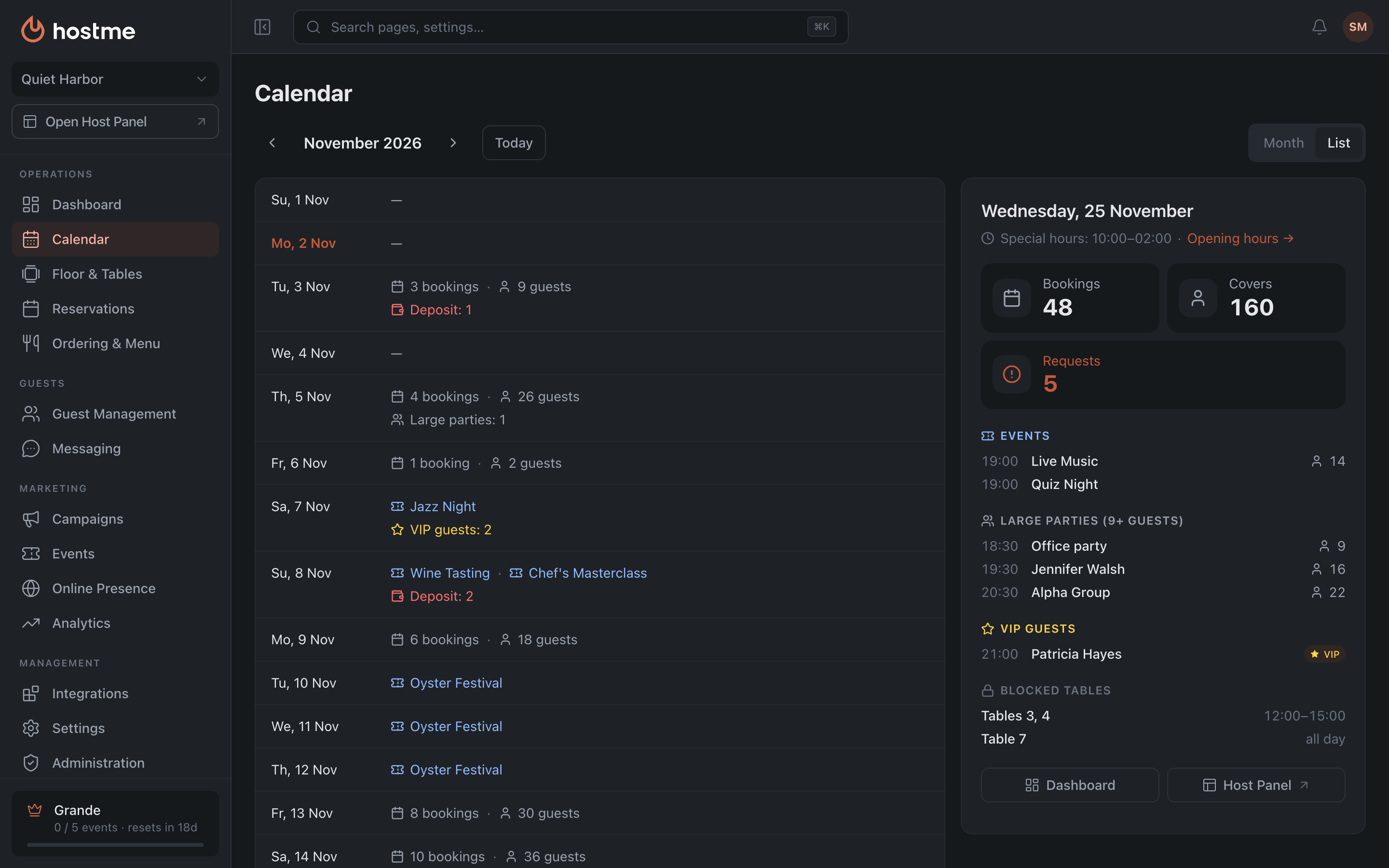
The days of the month, one row each. A row shows, in order: bookings and guests, events, what needs a look (requests, deposits, VIP guests, large parties), special hours and blocked tables. An empty day has a dash, a day off says “Closed”. The day panel is to the right of the list or below it, as in the Month view.
Where the data comes from
The calendar gathers what already exists in other sections:
| In the calendar | Where it’s set up |
|---|---|
| Bookings, guests, requests, no-shows | Reservations and the Host Panel |
| Unpaid deposits | Deposits & Fees |
| Events | Events |
| Opening hours, special hours, days off | Availability |
| Blocked tables | Blocked Tables |
What the calendar shows depends on the role: if a role can’t see bookings, for example, they won’t be in the calendar either. Campaigns are not in the calendar.